AeroEgg AM32 ESC Configuration and Tuning Guide
AM32 ESC setup procedure:
① Complete the solder connections between the ESC and motor.
② Complete the solder connections between the ESC and flight controller. A capacitor must be installed at the ESC.
③ Solder the PWM wire and connect it to a motor output on the flight controller. Connect battery power.
④ Ensure the ESC output channels are configured correctly. For example, on an INAV twin-motor aircraft, add and configure the S1 and S2 motor outputs.
⑤ Open https://am32.aeroeggtech.com, select the COM port, connect, and configure parameters such as the KV value to match the motor.
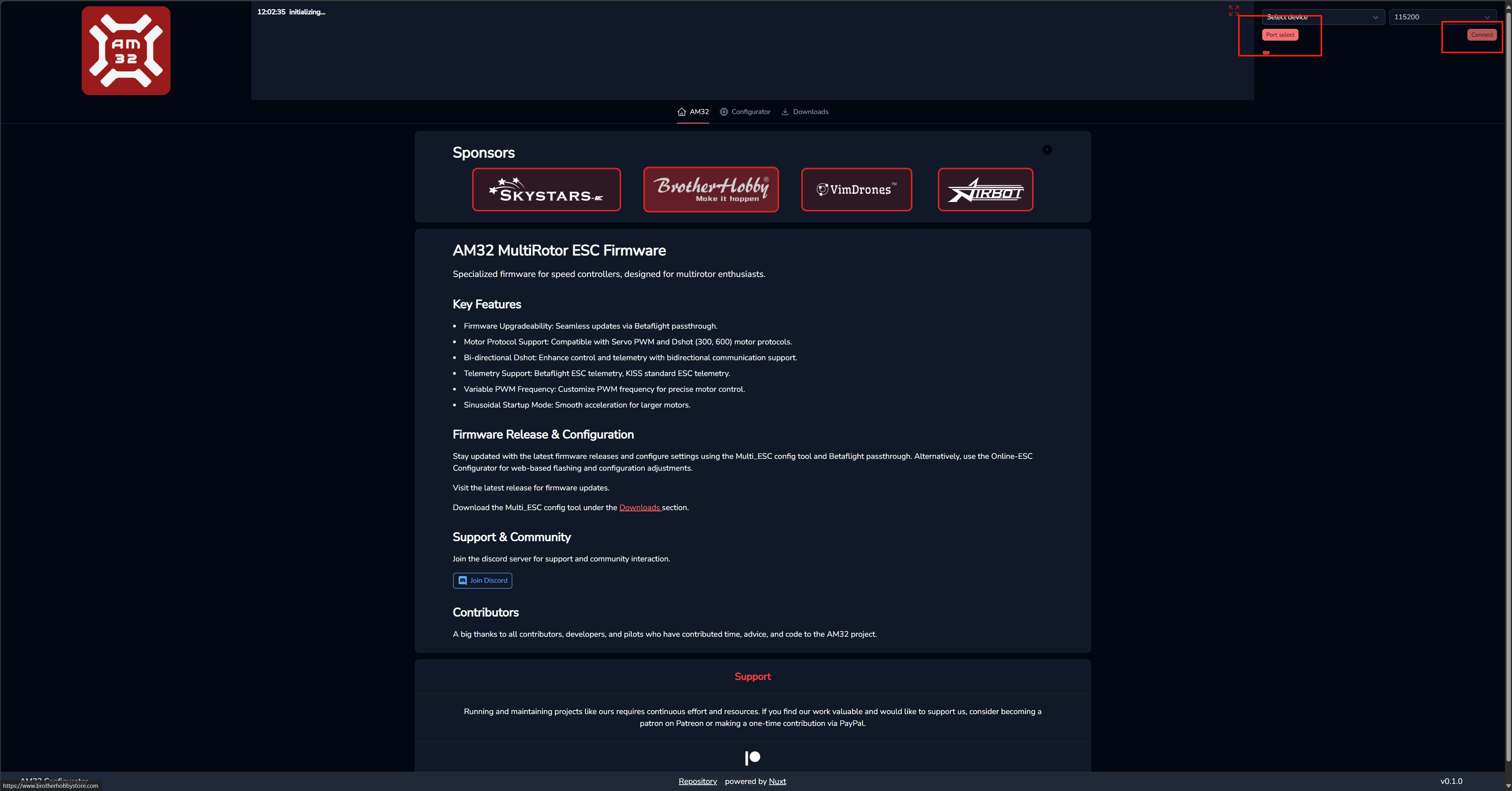 A successful connection is shown below:
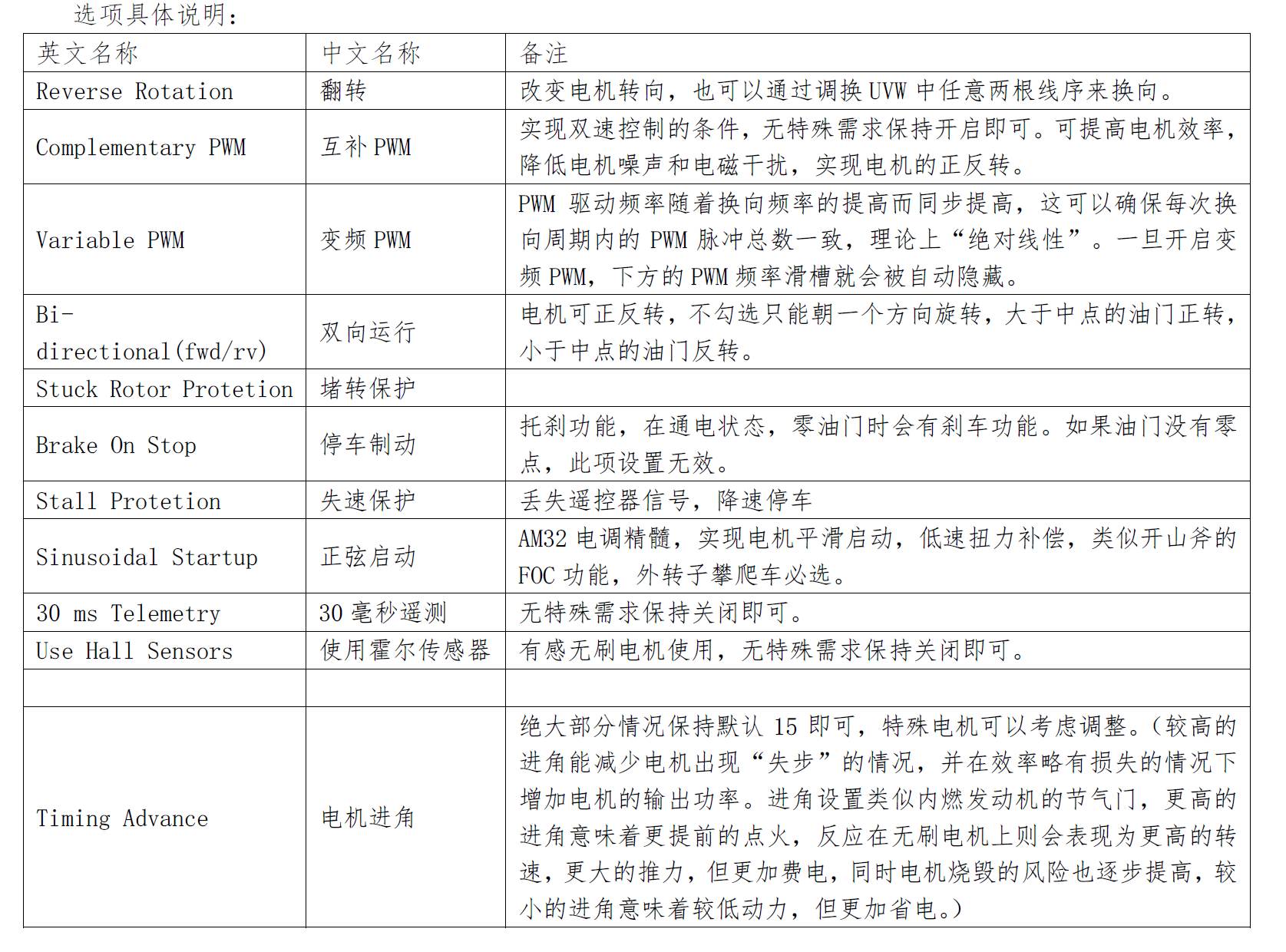
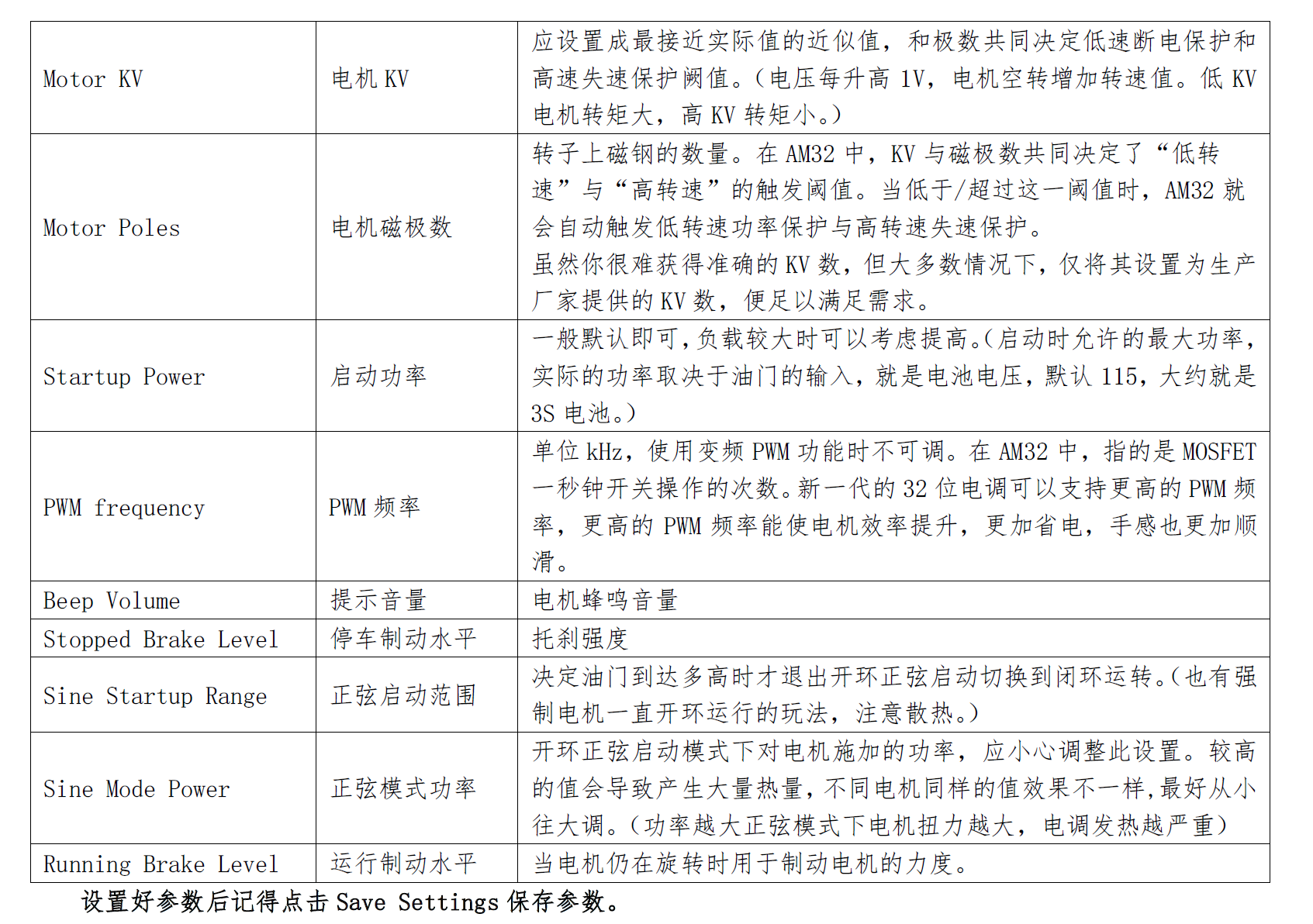
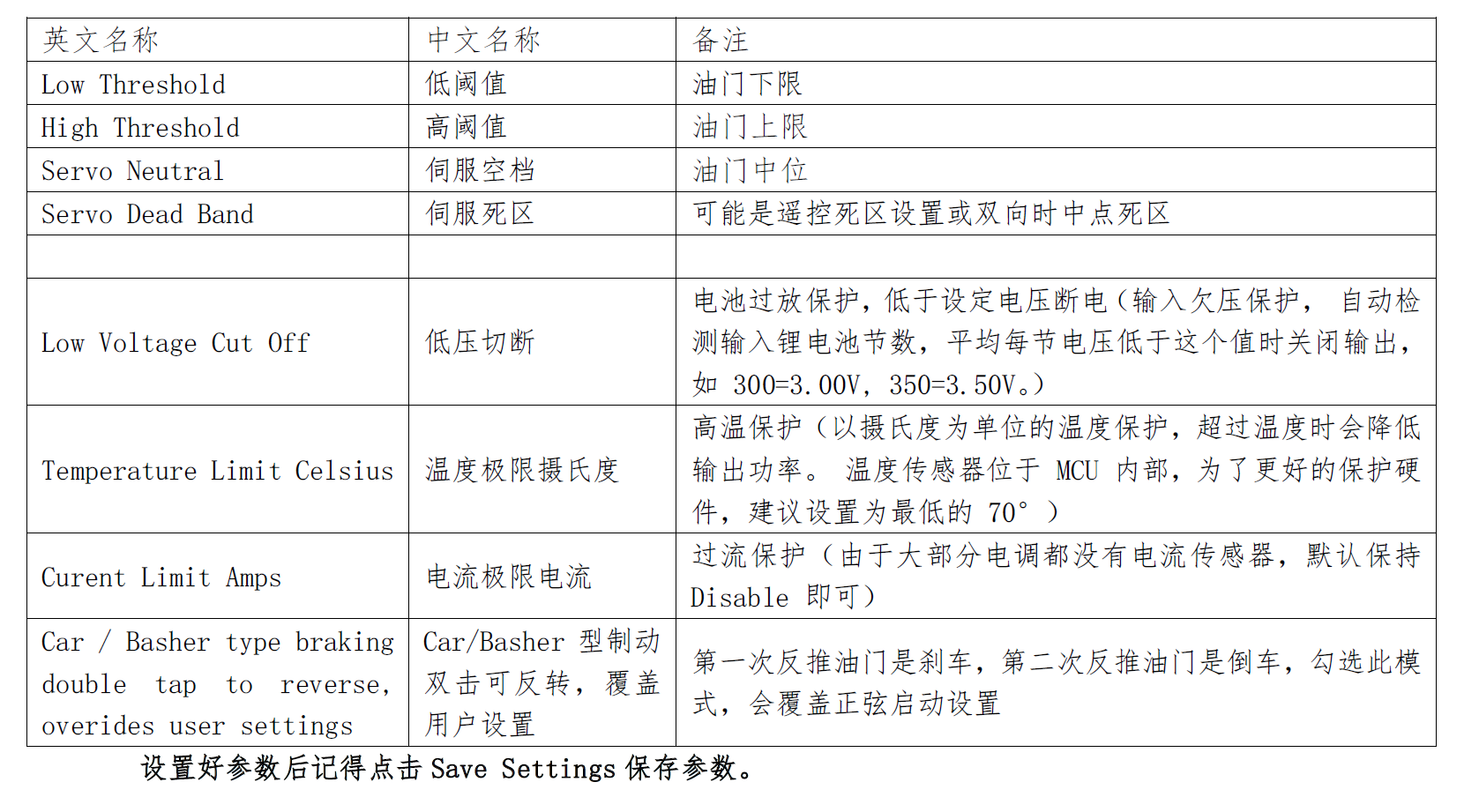
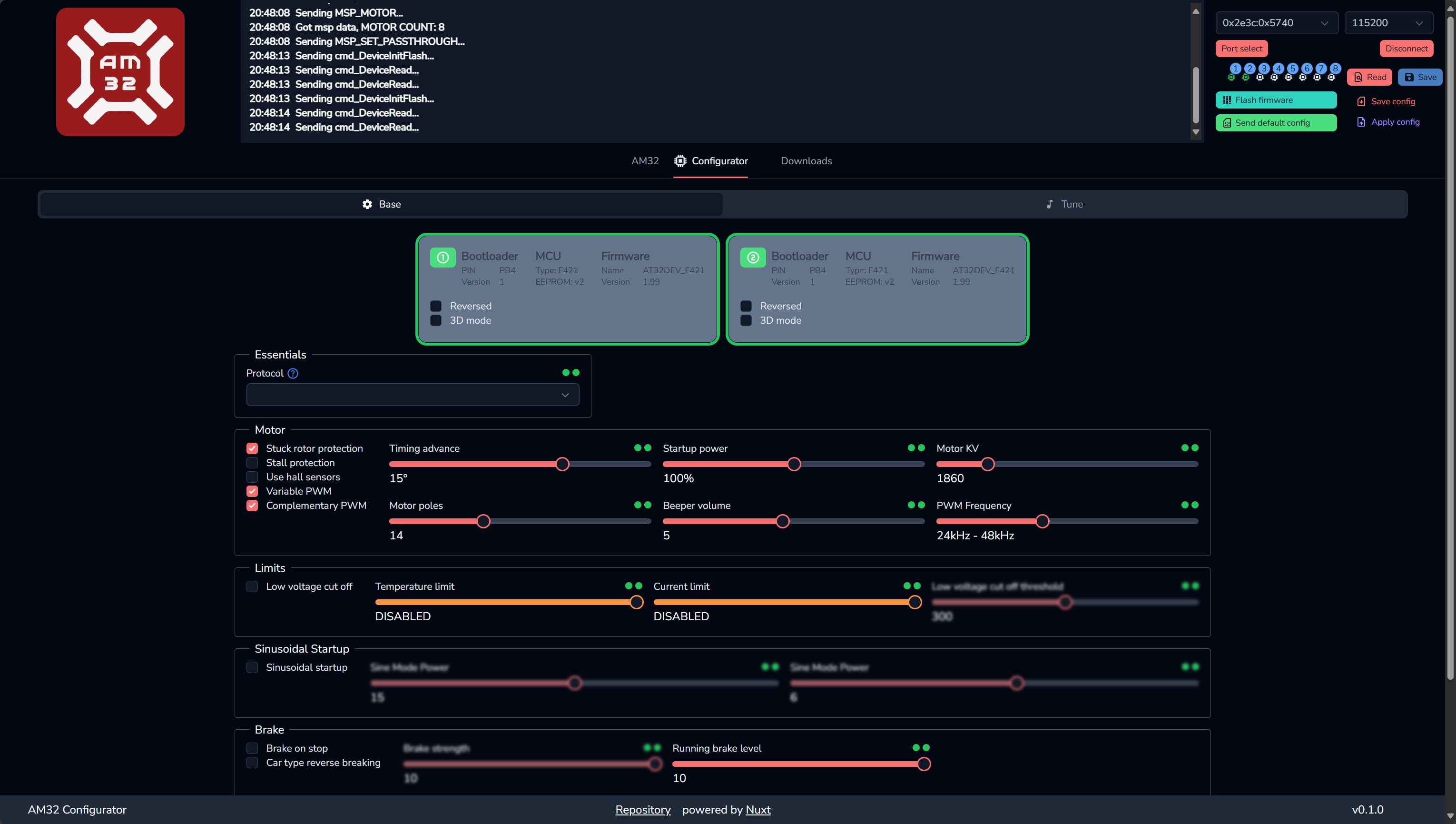 You can use screenshot translation to review the detailed parameter descriptions.
Important:
AP firmware requires DShot mode to be enabled.
In the Full Parameter List, search for parameters beginning with BRD_. The primary parameter is:
BRD_ESC_PROTOCOL = 2
Function: This parameter directly sets the protocol for all ESC outputs.
A value of 2 selects DShot300. Other common values are 1 (DShot150), 3 (DShot600), and 4 (DShot1200). Select the setting supported by your ESC; DShot300 provides a good balance for most applications.
Write the parameter and restart the flight controller: after making the change, click "Write Params," then fully power-cycle the flight controller by disconnecting USB and reconnecting power. The new ESC protocol takes effect only after the restart.
Parameter descriptions: