No Serial Port Appears When Connecting the AeroEgg Technology AET-H743-BASIC to a Computer
When connecting the flight controller to a computer for the first time, disconnect all external devices so the flight controller is in an isolated test setup.
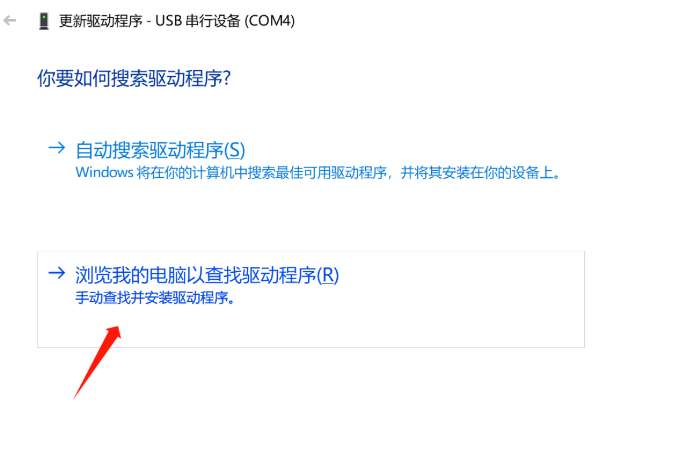
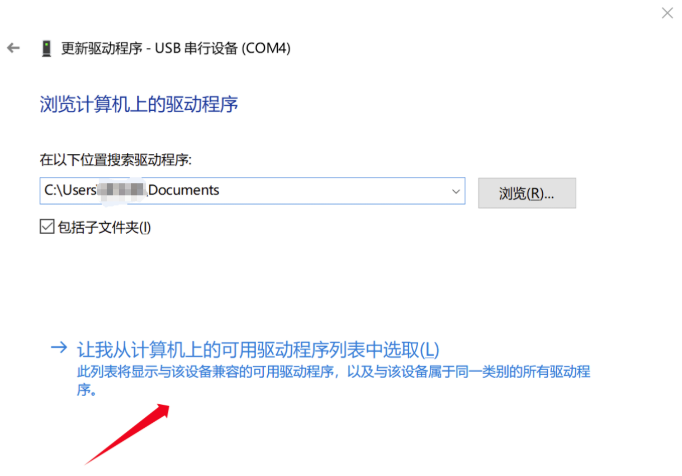
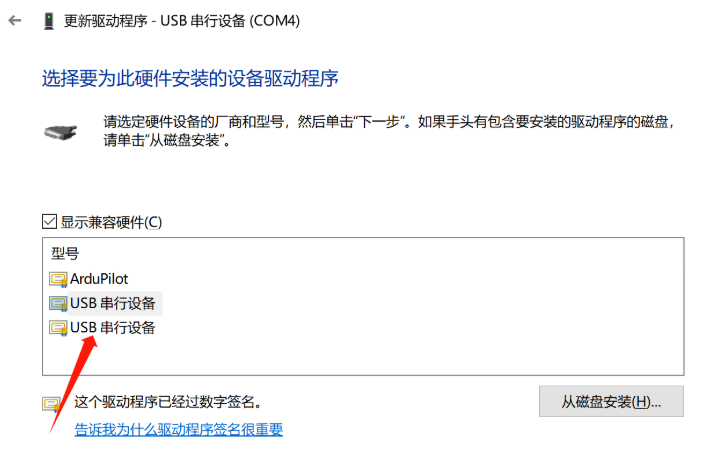
Open Device Manager. If the flight controller is listed outside the Ports section, reinstall the driver or right-click the device and select Update driver. Choose Browse my computer for drivers, then Let me pick from a list of available drivers on my computer, select USB Serial Device, and complete the update.