Chapter 4: Full Parameter List

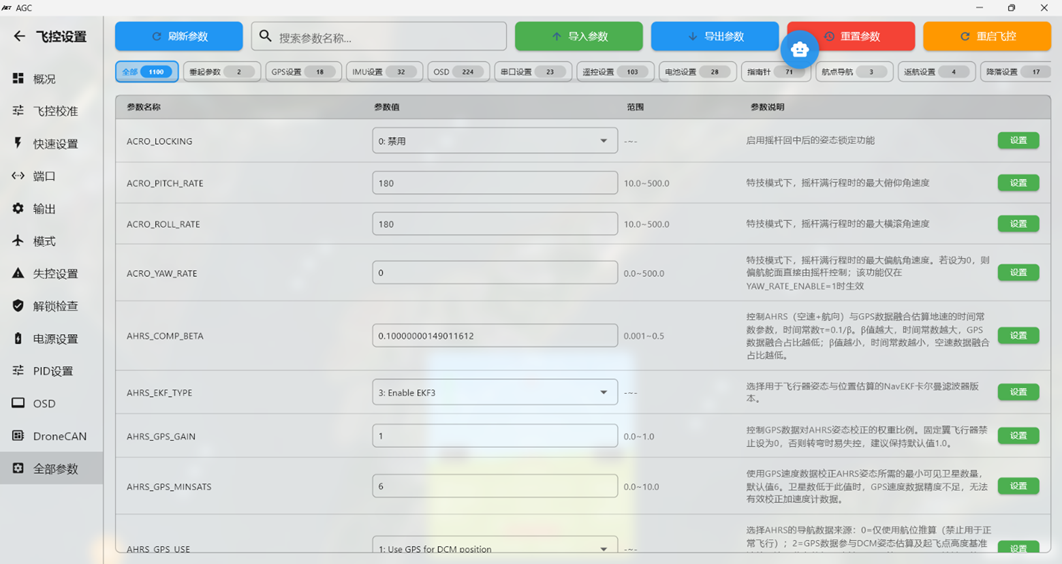
When using the Full Parameter List, keep the configuration and tuning reference TXT file open on the computer.
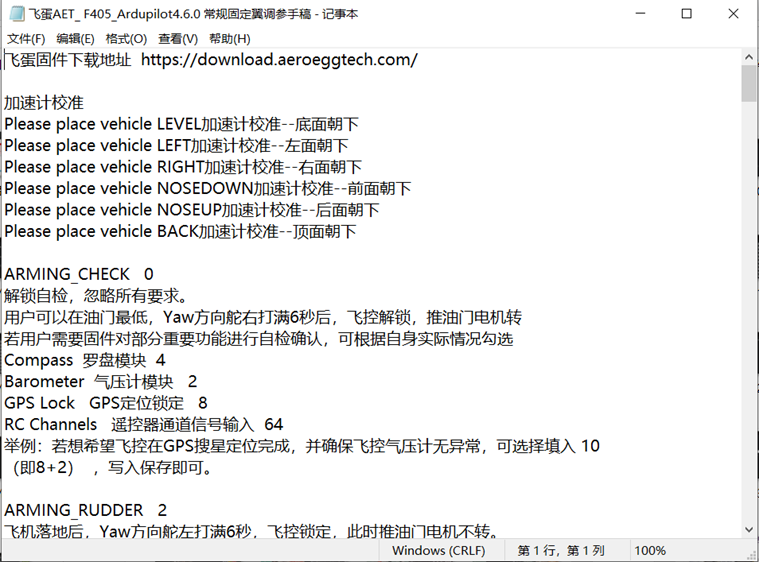
Copy a parameter name from the reference file and paste it into the Search box on the right side of the Full Parameter List. The page automatically displays the current value, units, available options, and description for that parameter. The descriptions are in English and can be copied into translation software or an AI assistant when clarification is needed.
The AI assistant in AGC is strongly recommended for interpreting parameter descriptions.
Some parameters require a flight controller restart before they take effect.
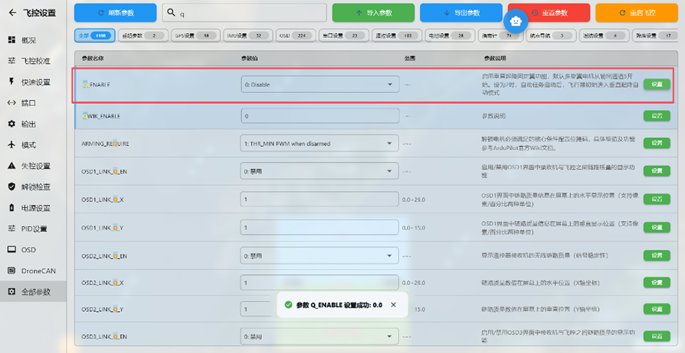
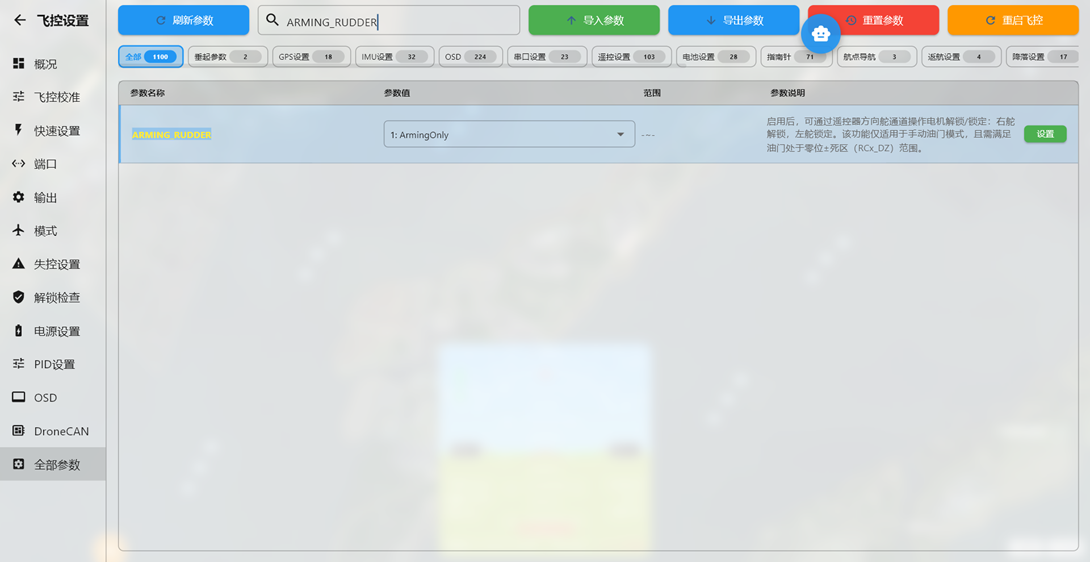
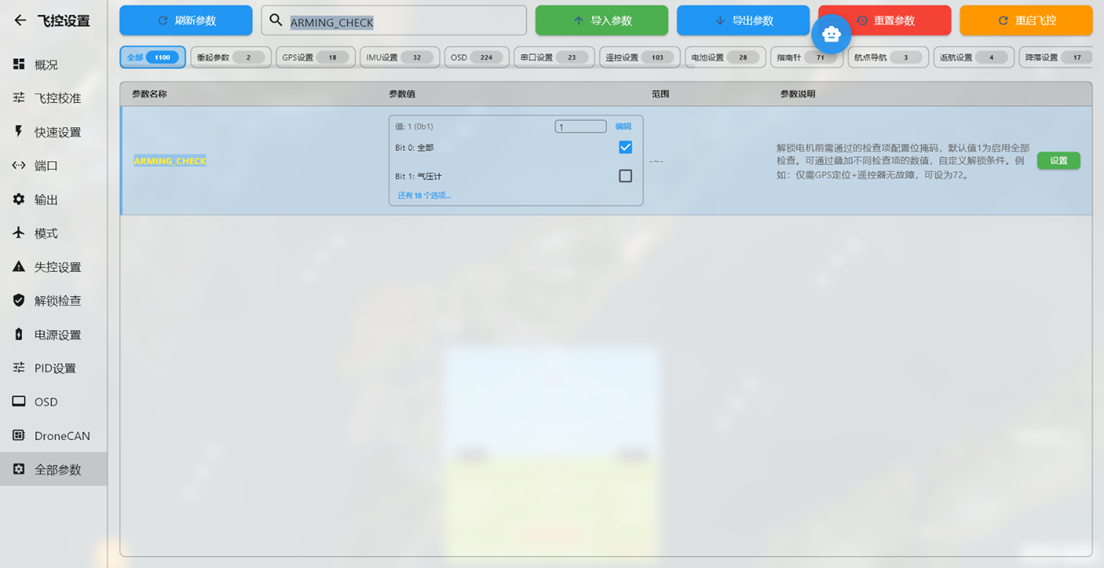
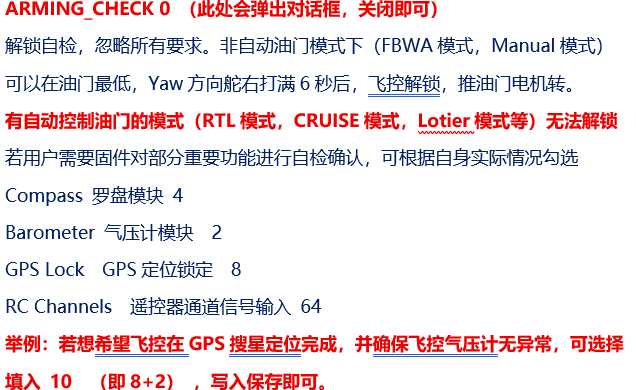
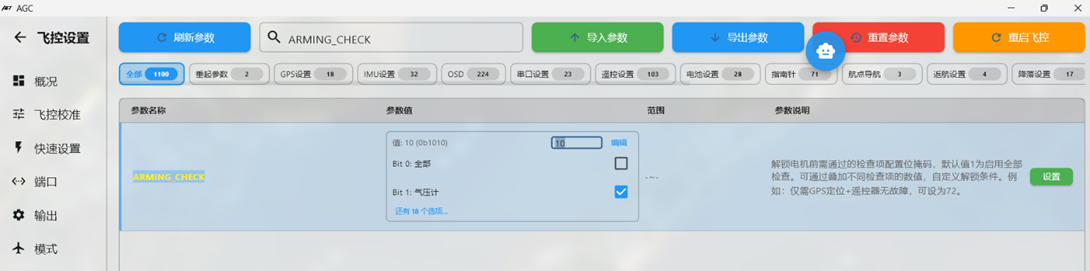
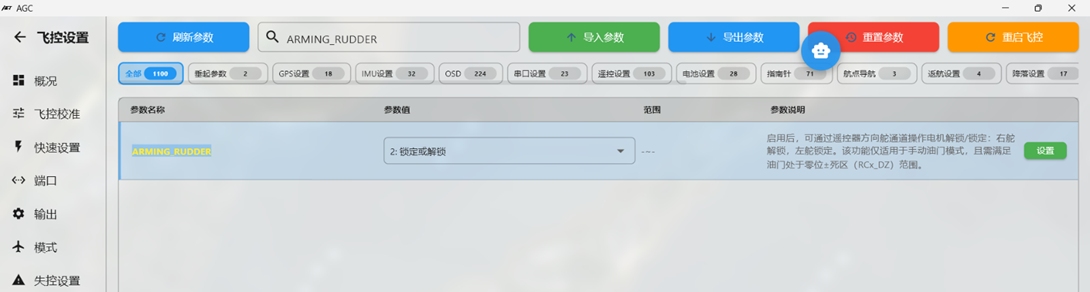
Section 1: Pre-arm checks with ARMING_CHECK and rudder arming/disarming with ARMING_RUDDER ArduPilot applies comprehensive arming requirements. With default settings, dozens of pre-arm checks must pass before arming is permitted. Search for ARMING to configure these checks.

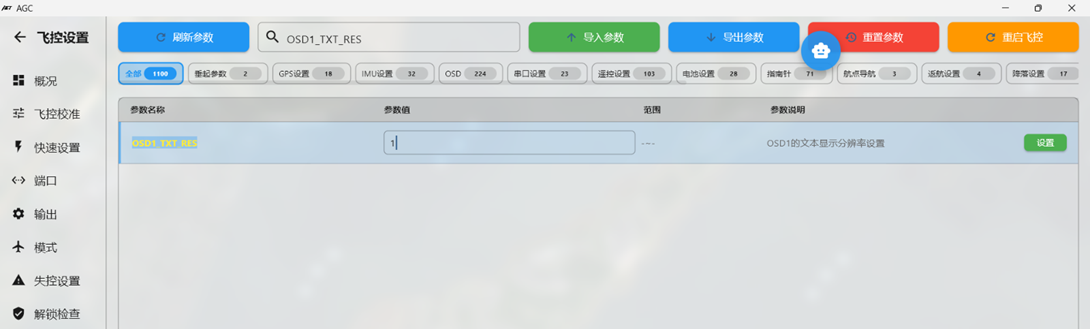
Section 2: Configuring video-link OSD parameters
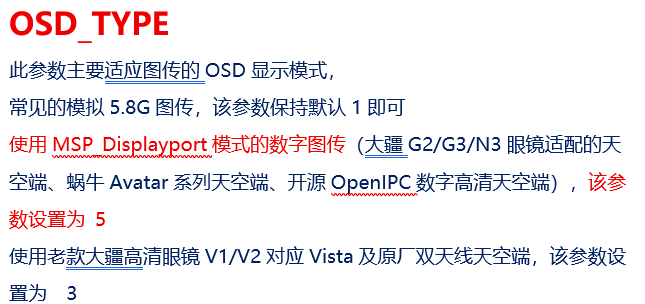
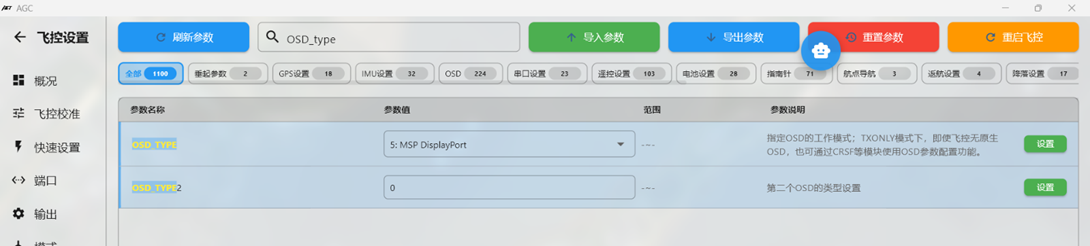

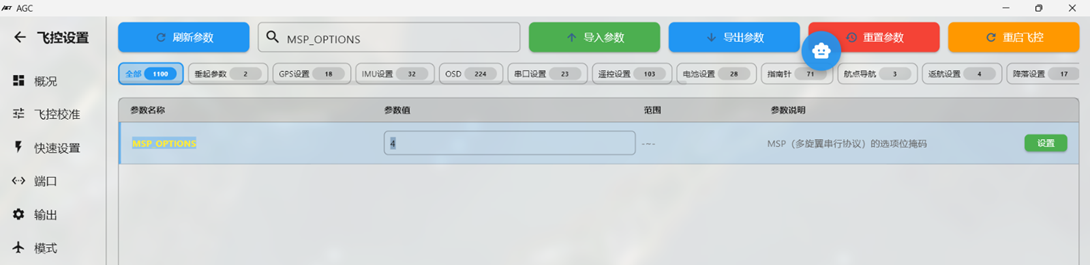

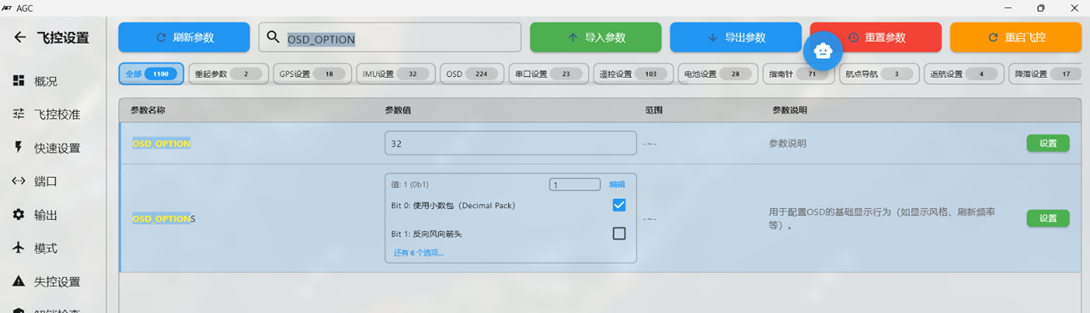


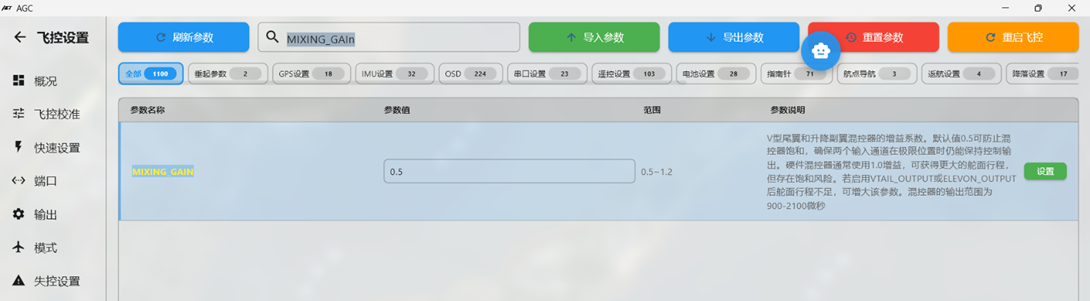
Section 5: Adjusting permitted control-surface travel for mixed-control aircraft using MIXING
For flying-wing aircraft using elevon mixing and V-tail aircraft using ruddervator mixing, the default permitted control-surface travel may be limited. Increase MIXING_GAIN to increase surface travel. The default is 0.5; values of 0.8 or 1 may be appropriate.
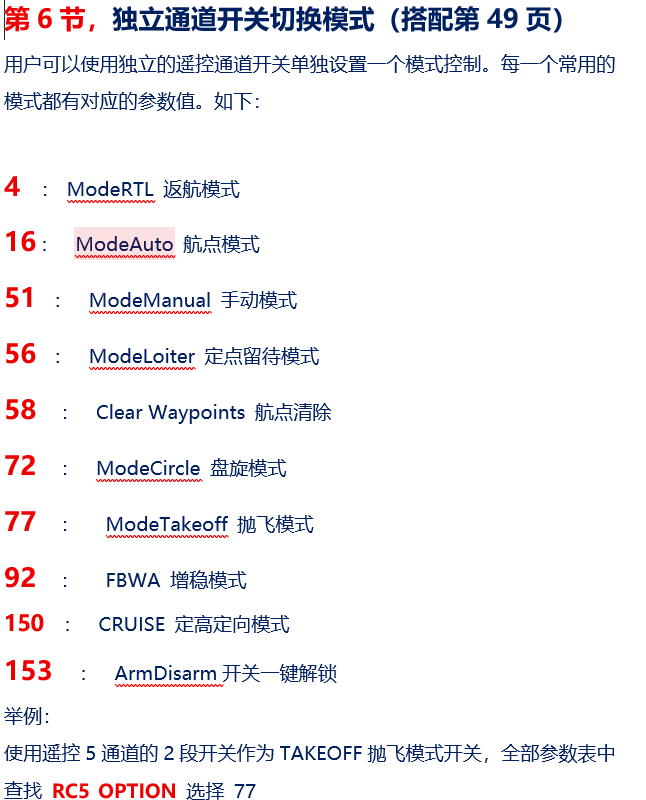
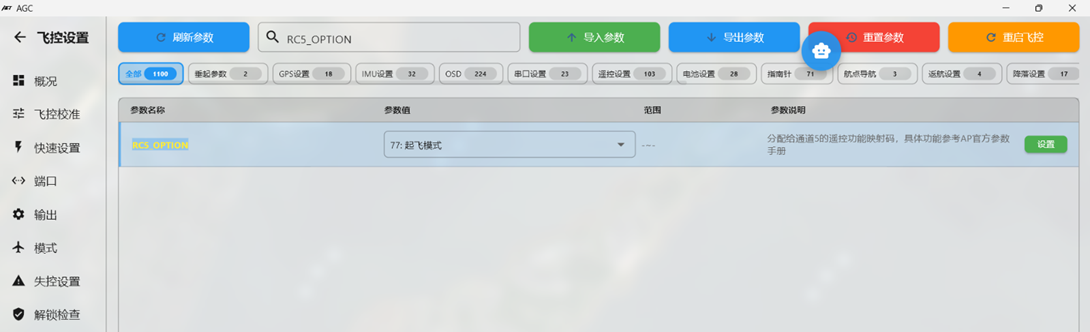
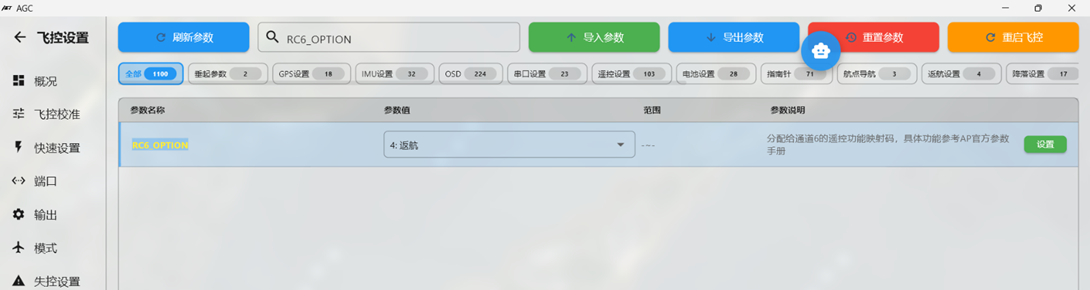
Use a two-position switch on radio channel 6 to select RTL mode. In the Full Parameter List, locate RC6_OPTION and select 4.
Use a two-position switch on radio channel 7 to select MANUAL mode. In the Full Parameter List, locate RC6_OPTION and select 51.
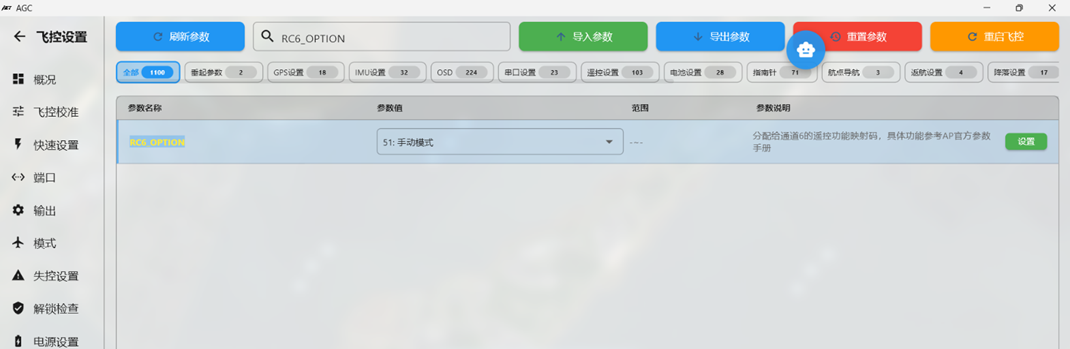
Section 7: TK parameters for TAKEOFF hand-launch mode
TAKEOFF is a useful launch mode for hand-launched FPV aircraft. After assigning it to a mode switch, configure the following parameters for the launch profile.
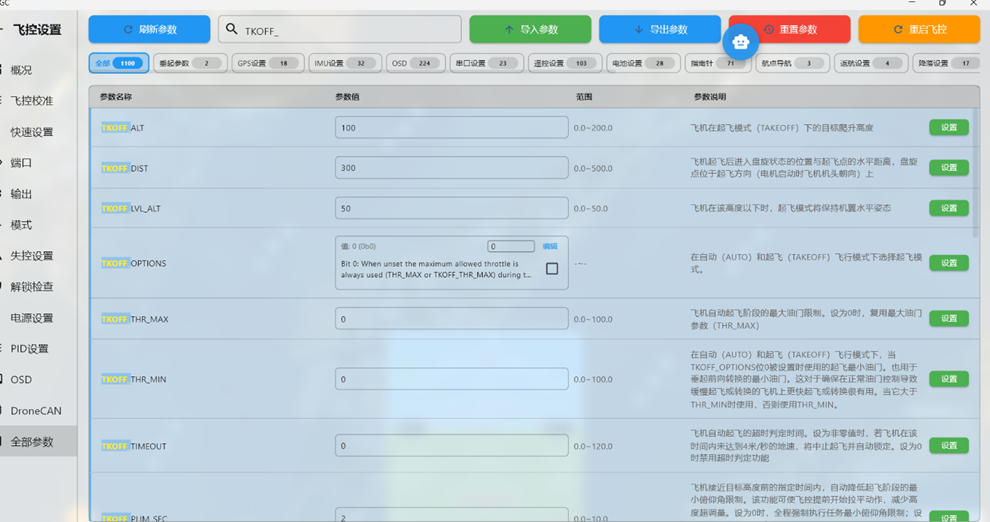
Recommended parameters:
TKOFF_ALT 100 (sets the TAKEOFF target altitude to 100 m)
TKOFF_DIST 300 (sets the maximum TAKEOFF distance to 300 m)
TKOFF_LVL_ALT 50 (keeps the wings level until the first-stage altitude is reached after launch; default 20)
TKOFF_LVL_PITCH 20 (sets the maximum climb angle in TAKEOFF mode to 20°)
TKOFF_THR_MAX 100 (sets maximum throttle in TAKEOFF mode to 100%)
TKOFF_THR_MINACC 3 (enables throttle output when the flight controller detects instantaneous acceleration equivalent to 3 m/s)
TAKEOFF mode can be used only after a valid GPS fix is acquired and the flight controller is armed successfully.
Section 9: RTL loiter parameters
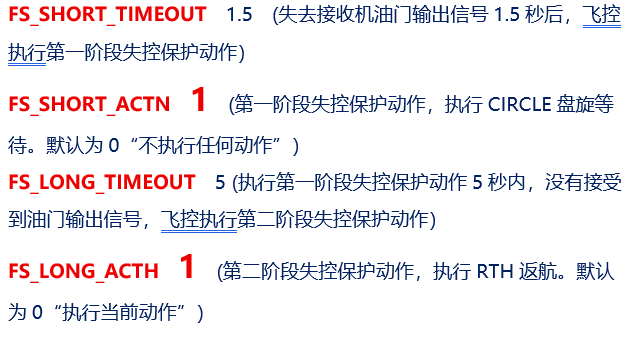
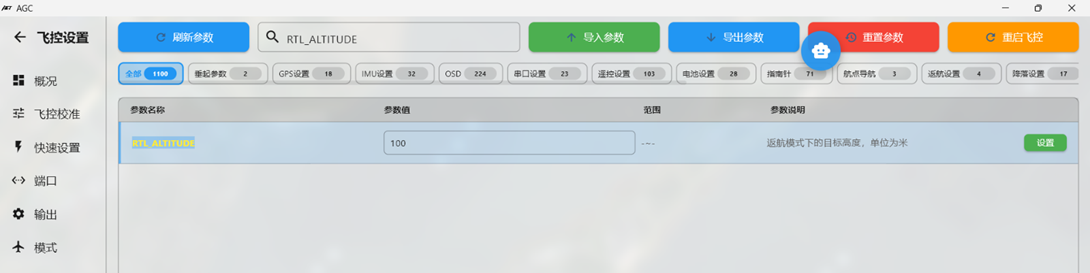
ArduPilot defaults to a 100 m loiter altitude above the home point. Adjust this value for local terrain and operating conditions. During RTL, the aircraft flies directly toward the home point while descending toward the configured altitude. If the aircraft is below the configured altitude, it climbs rapidly to that altitude before continuing RTL. Configure RTL altitude as follows: RTL_ALTITUDE 120 m Default: 100 m. Sets the loiter altitude above the home point after RTL. When set to -1, the aircraft maintains its current altitude while returning and loitering above the home point.
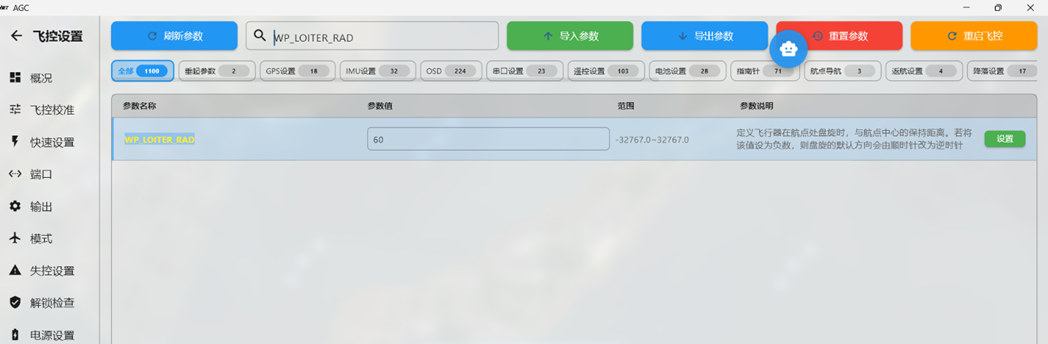
After returning above the home point, the aircraft loiters. The loiter parameters can also be adjusted. WP_LOITER_RAD 80 sets the loiter radius; default 60 m.
A positive value produces clockwise loiter; a negative value produces counterclockwise loiter. This radius applies to both RTL and LOITER mode.
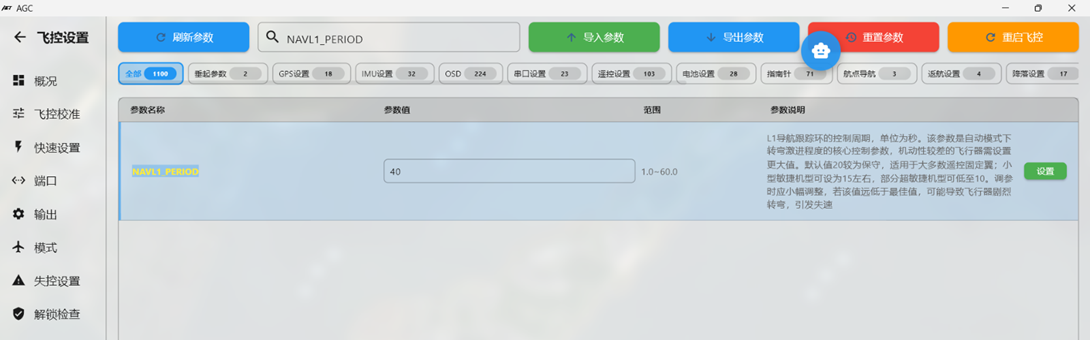
For example, with an 80 m radius and a 40 s orbit period, throttle and airspeed are generally more efficient during loiter.
Section 10: Changing flight controller mounting orientation with AHRS_ORIENTATION
Some airframes cannot accommodate the default horizontal flight controller installation. This is common when converting scale aircraft to FPV, where the flight controller may need to be mounted on a cabin sidewall or inverted on the cabin floor. Set AHRS_ORIENTATION to match the actual mounting angle.
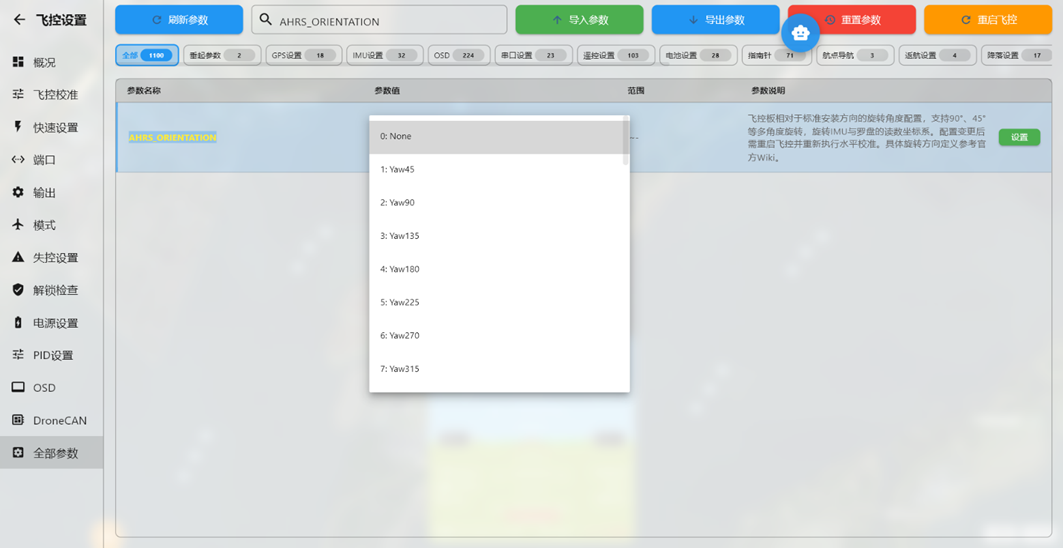
Example 1: If the main power-cable direction, normally pointing toward the nose, points aft because the flight controller is installed backward, set the value to 4 (YAW 180).
Example 2: If the bottom of the flight controller is attached to a cabin sidewall, equivalent to a 90° or 270° rotation around the ROLL axis, set the value to 16 or 20.
Example 3: On the Swordfish airframe, the flight controller may be installed inverted with its default forward direction pointing aft. This corresponds to ROLL 180 plus YAW 180, which has no direct option. In practice, PITCH 180 produces the required orientation; set the value to 12.