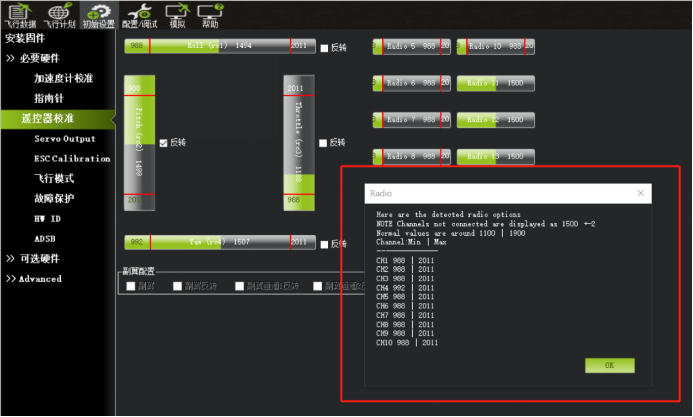
Chapter 2: Radio Transmitter Calibration
2. Radio Transmitter Setup
2.1. Radio Transmitter Calibration
Refer to the manual for detailed wiring and setup instructions before using the radio transmitter calibration screen. Ensure that the radio transmitter channels match the flight controller channels and that no channel is reversed:
Open the radio transmitter calibration screen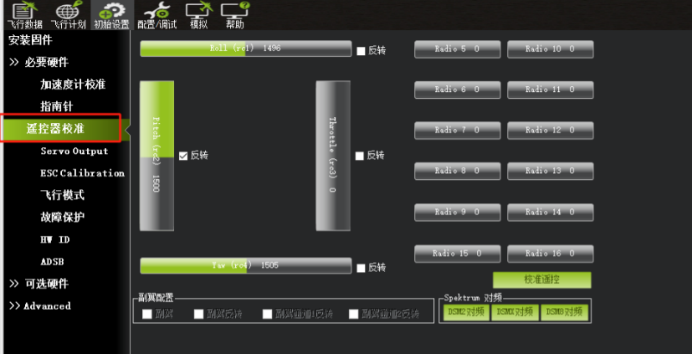
When commanding left roll on the radio transmitter, the ROLL indicator must move left;
When commanding right roll on the radio transmitter, the ROLL indicator must move right.
When the throttle stick is moved up, the THR value must increase.
When the throttle stick is moved down, the THR value must decrease.
When commanding left yaw, the YAW indicator must move left.
When commanding right yaw, the YAW indicator must move right.
Note: The PITCH channel operates in the opposite direction from the other channels. Pulling the pitch stick down should increase the PITCH value, and pushing it up should decrease the value. If the response is incorrect, enable or disable channel reversal as required.
Verify that radio transmitter stick movements and the values shown on the calibration screen match the descriptions and images above.
Verify that radio transmitter stick movements and the values shown on the calibration screen match the descriptions and images above.
Verify that radio transmitter stick movements and the values shown on the calibration screen match the descriptions and images above.
(This check ensures that the radio transmitter output matches the flight controller input. Incorrect channel mapping can cause improper flight controller behavior.)
For Futaba, Tiandifei, and similar radio transmitters, correct reversed throttle or other reversed channels using the same procedure described above.
After starting radio calibration, move every channel stick and switch through its full range so the maximum and minimum channel outputs are recorded.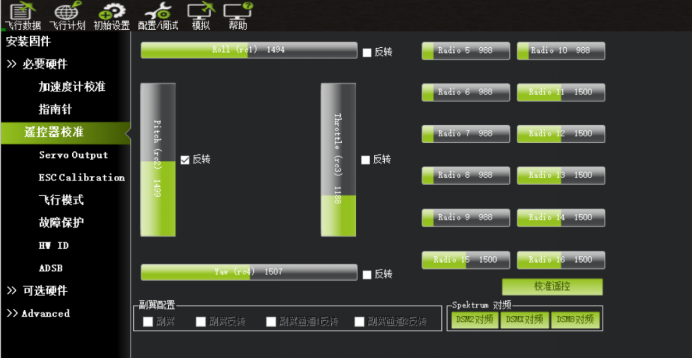
After calibration is complete, click "Click When Done".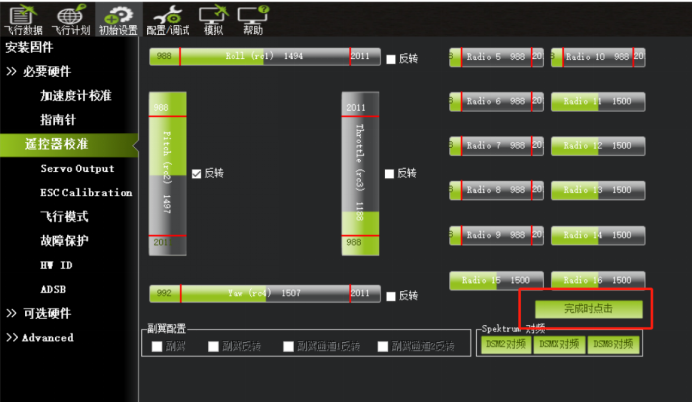
The radio transmitter calibration is complete when this screen appears.