Chapter 2: Channel Configuration and Pre-Arm Check Configuration
Common Configuration and Tuning
When configuring an aircraft, parameters often need to be changed to accommodate different peripherals. Refer to the manual for details. All parameters can be searched for and modified in the interface shown below. Because the required settings vary by aircraft, this section focuses on several commonly used parameters for reference.
4.1 Radio Transmitter Channel
In the full parameter list, locate FLTMODE_CH = X (where X is any channel) to change the channel used to switch flight modes.
Alternatively, open Flight Mode Setup and select the channel to use for mode switching from the drop-down list.
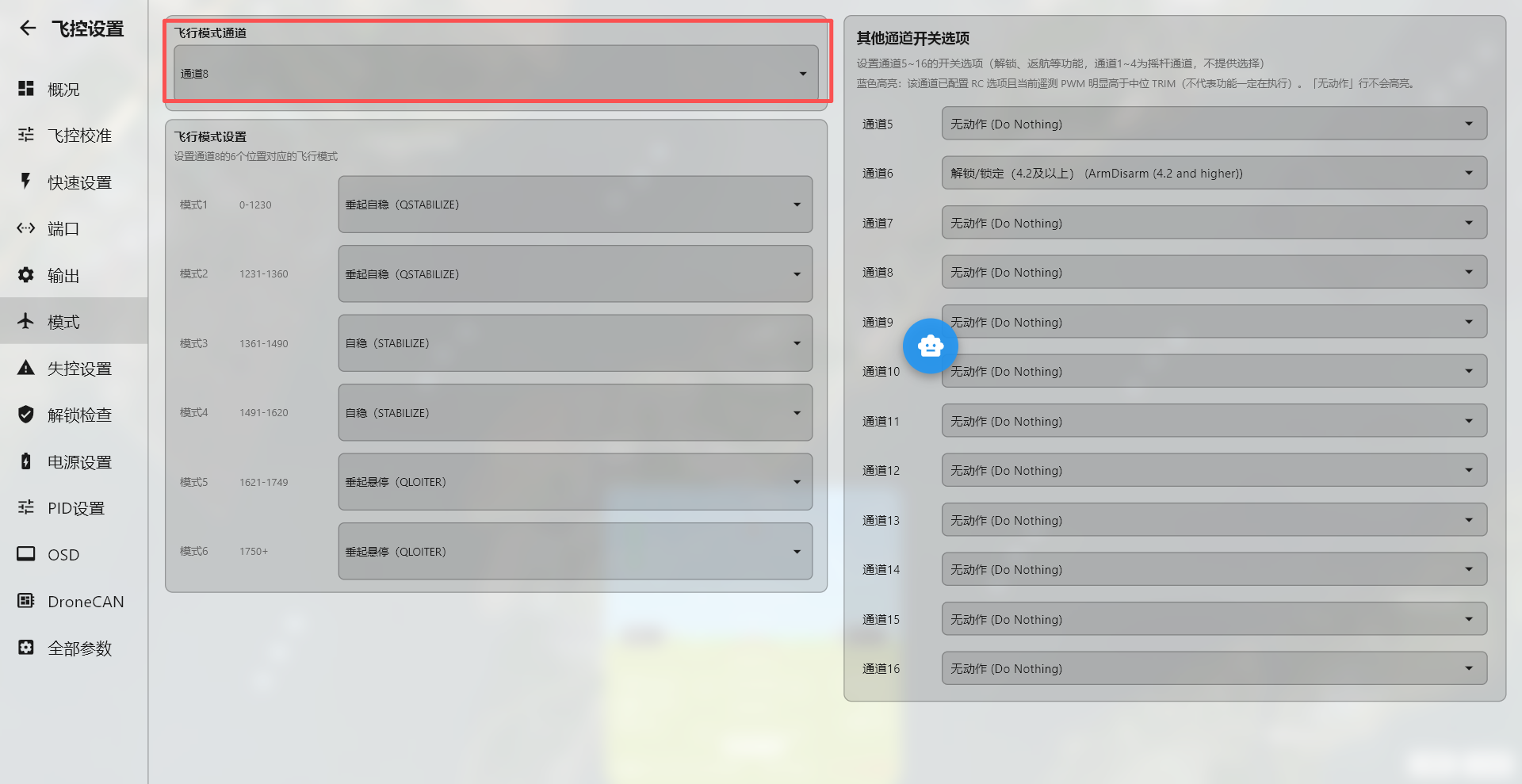
Setting this value to 8 assigns the switch configured as channel 8 on the radio transmitter.
Pre-Arm Checks
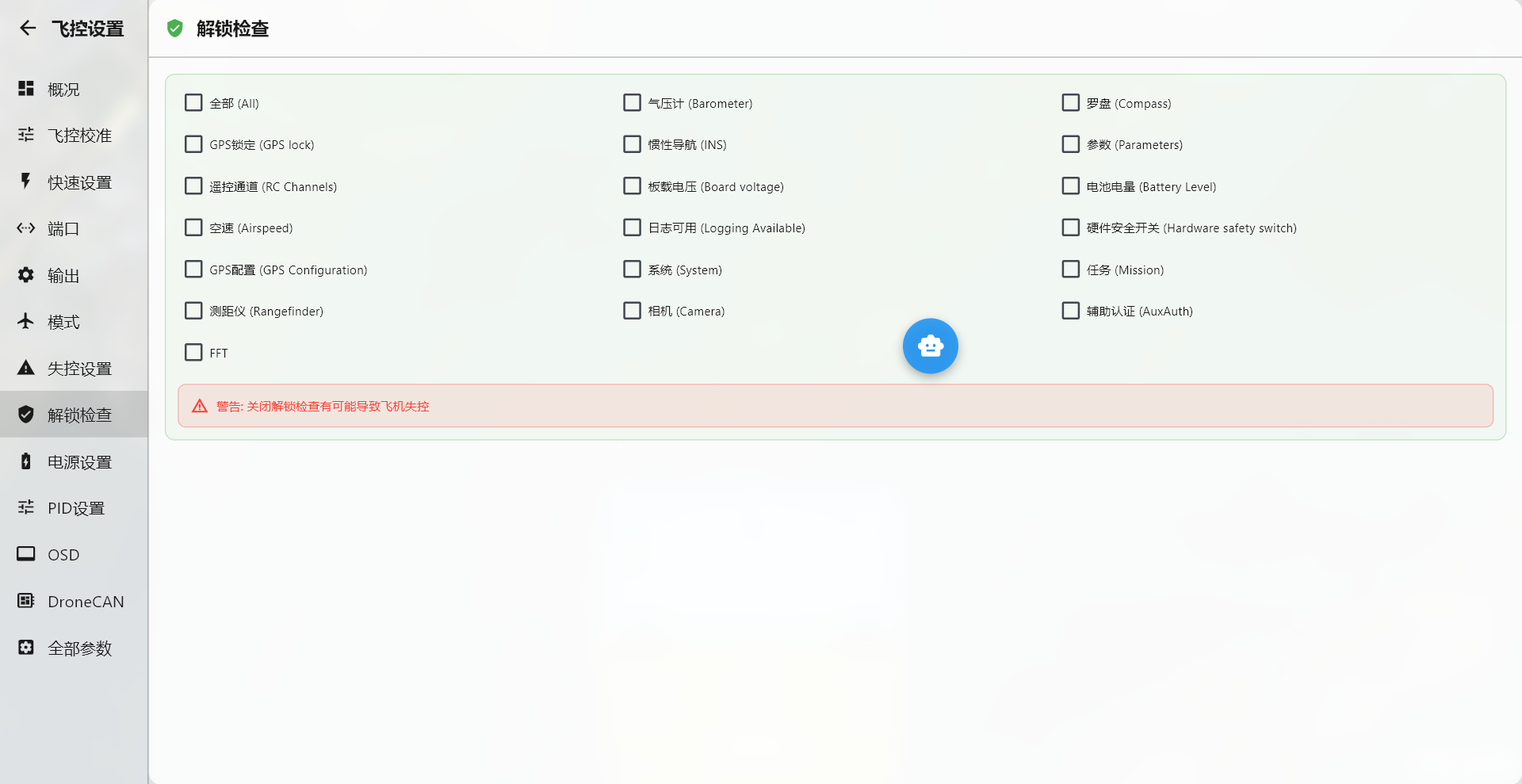
ArduPilot firmware applies strict requirements before the flight controller can be armed. With the default settings, dozens of checks must pass. Because an aircraft may not include every peripheral covered by these checks, this parameter can be used to disable individual checks that are not applicable.
AGC includes a dedicated module for configuring these checks.
Important
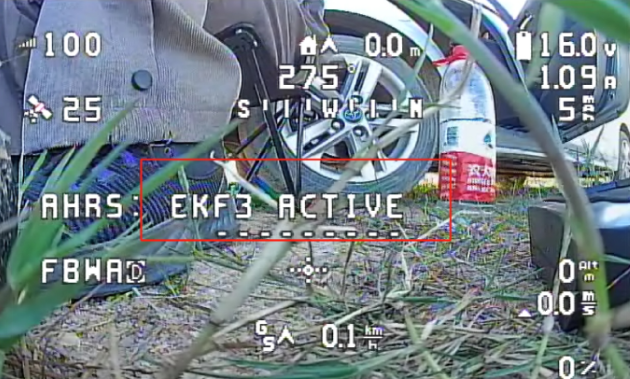
Regardless of the selected solution, do not disable all pre-arm checks. Instead, disable only warnings that are not applicable, such as logging failure caused by a missing MicroSD card or a compass warning (Compass unhealthy). Complete compass calibration and confirm that the status message reports “EKF3 active” before takeoff. Do not take off if the only status shown is DCM ACTIVE.
This status can be viewed in the OSD prompts or in the message panel of the MP ground station after connecting the flight controller by USB.