How to Connect the AeroEgg Technology AET-H743-BASIC to QGC/MP Ground Stations via Bluetooth
The AET H743 flight controller includes an onboard Bluetooth telemetry module connected to the UART7 serial port through board headers. After configuring the corresponding serial-port parameters, you can connect the computer to the flight controller over Bluetooth and perform configuration and tuning without a USB cable.
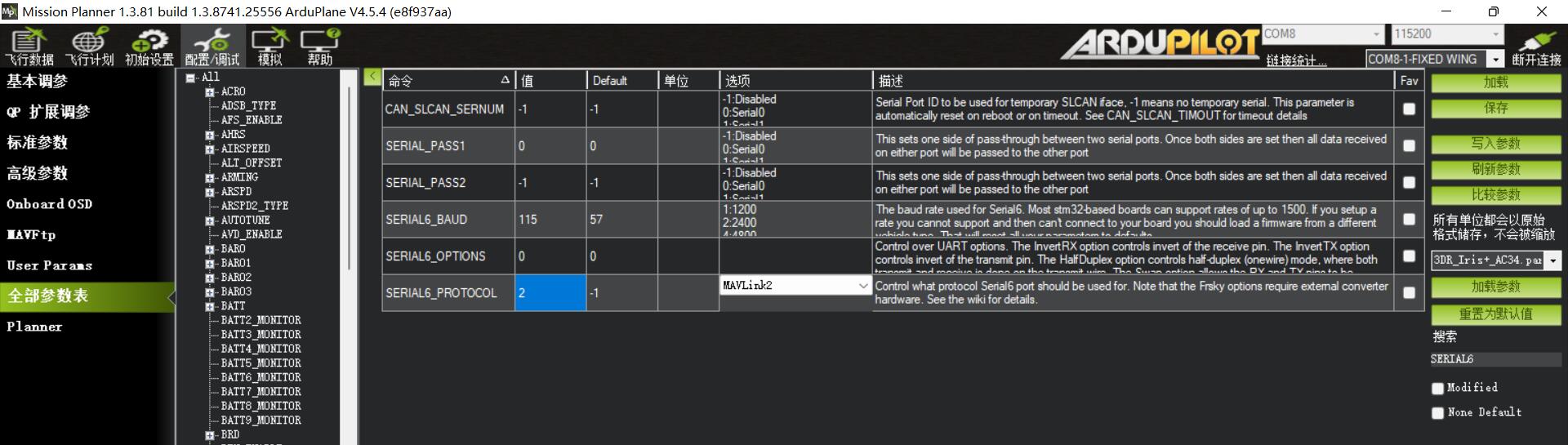
First connect by USB. In the Full Parameter List, configure UART7 (Serial7) as follows:
SERIAL7_BAUDRTE 115
SERIAL7_OPTIONS 0
SERIAL7_PROTOCOL 2
Disconnect the USB connection between the flight controller and computer, then power the flight controller from the battery. Use the computer Bluetooth settings to add a device and pair with ATE-H743_SPP.
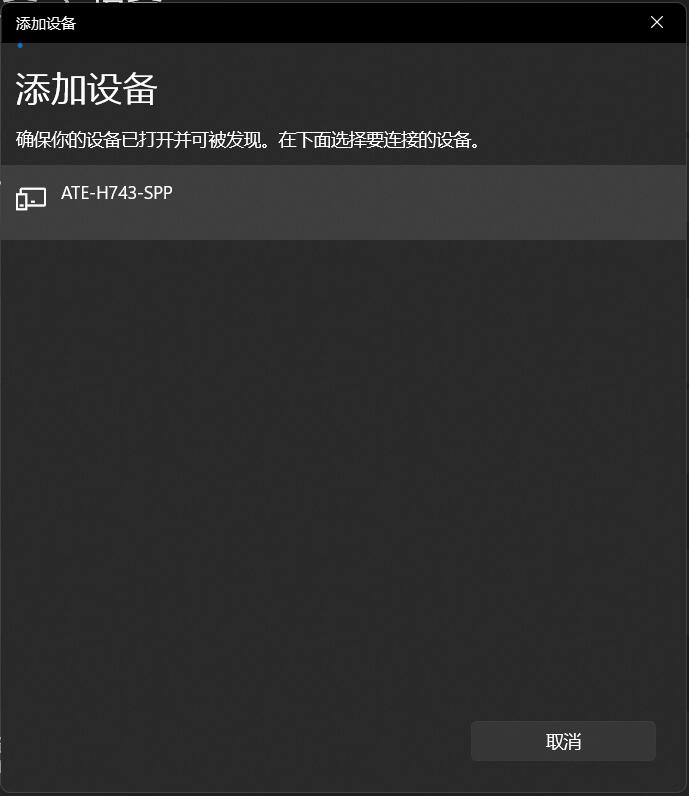
After confirming successful pairing, open MissionPlanner. The new Bluetooth serial port will appear in the port selector at the upper right.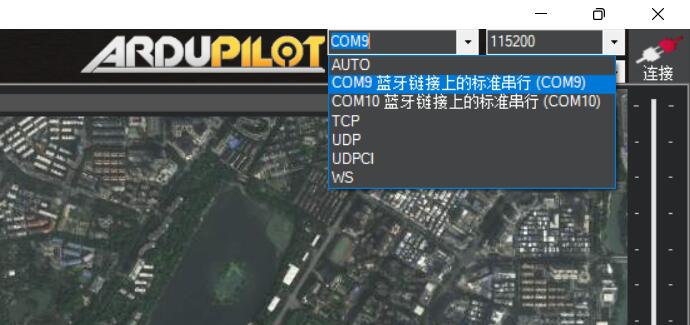
Click Connect and wait briefly for the flight controller and ground station to establish the wireless Bluetooth connection. You can then perform configuration and tuning normally.
Connecting QGroundControl (Android)
1. Open QGC and tap the Q icon in the upper-left corner.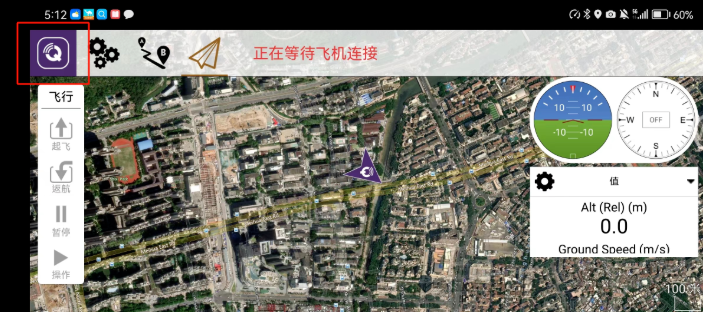
2. Open Comm Links, tap Add, and create a flight-controller connection.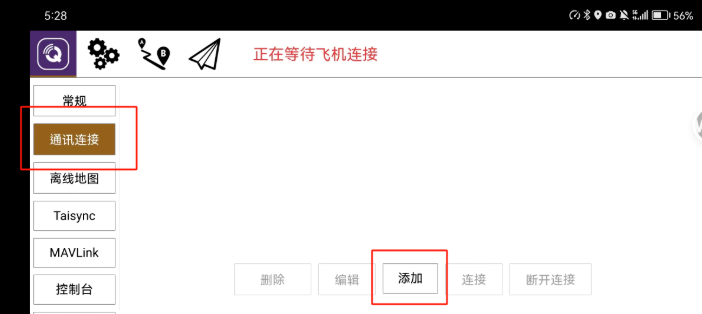
3. Set Type to Bluetooth, scroll down, tap Scan, and locate the flight-controller device.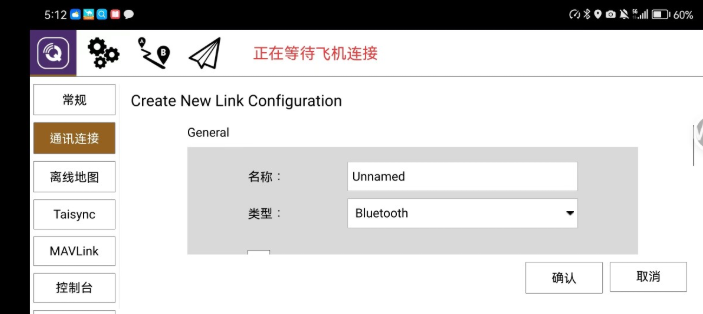
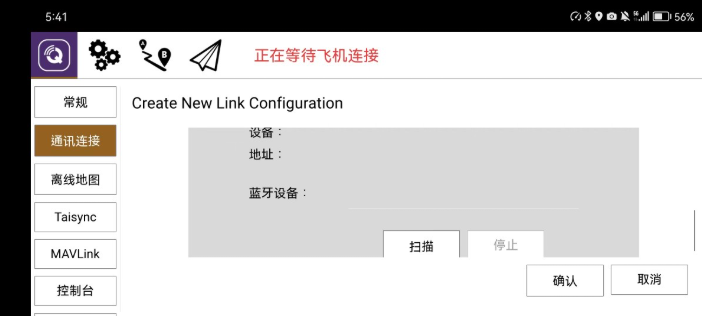
4. Select AET-H743-BASIC and confirm.
5. The app returns to the Comm Links page and starts the connection.