Chapter 5: Adjusting the OSD Layout
Open the OSD settings: CONFIG/TUNING -- Onboard OSD -- Screen1
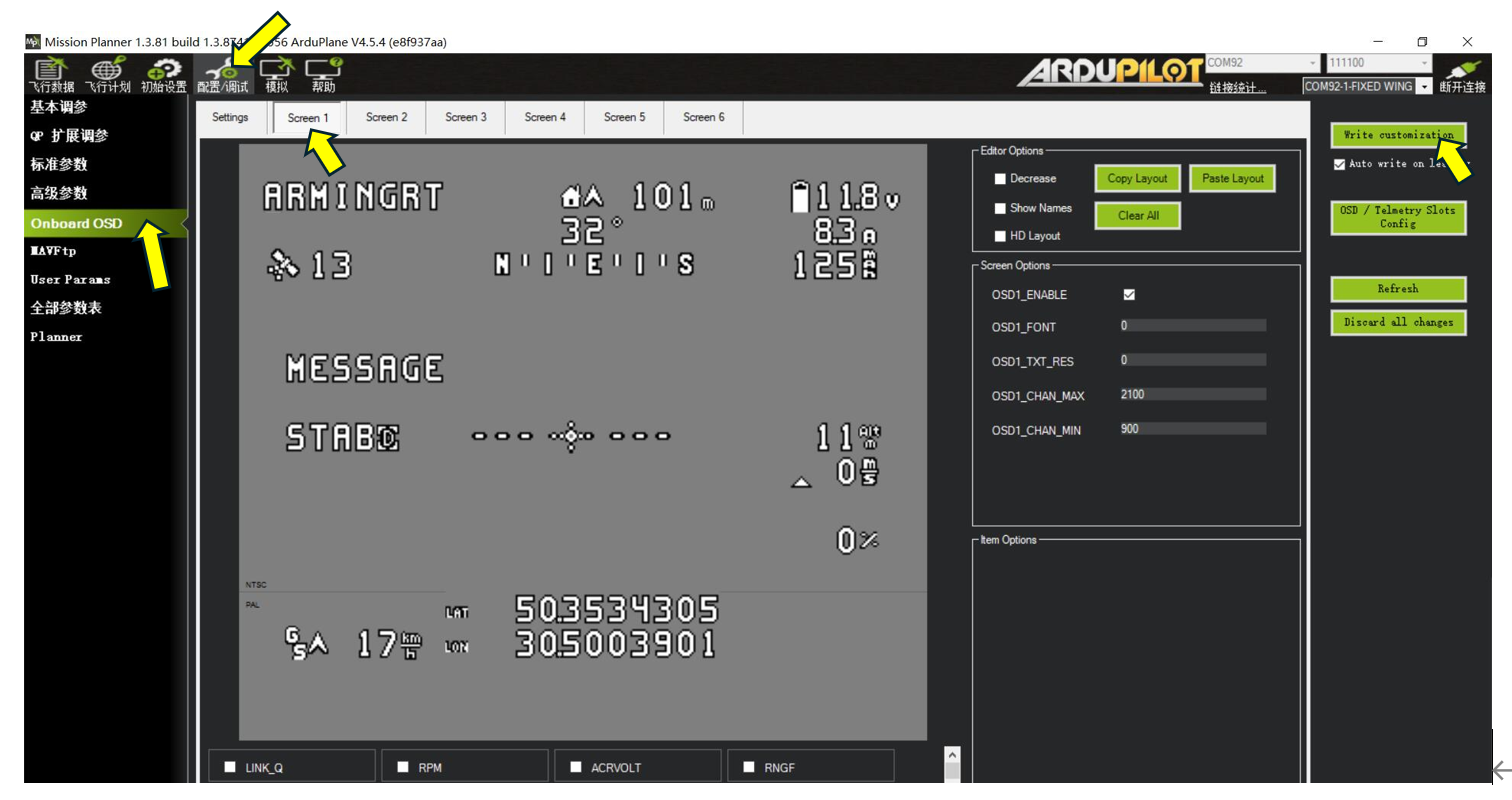
ArduPilot OSD configuration is similar to INAV configuration and tuning because the flight controller includes an onboard OSD module. In the OSD item list at the bottom, enable the items to display and drag each item to the desired position. With the flight controller powered and the video transmitter and camera connected, reposition the OSD items and click Write customization in the upper-right corner. The updated positions will appear on the receiving display.
If the default OSD positions do not suit your preferences, click and drag each item to the required position. If the OSD item panel is too small, select Reduced View to obtain a wider overview of the layout.
For digital video systems, select HD Layout to use a wider OSD placement area.
If the computer display resolution is below 1920*1080, the OSD layout editor may not be fully visible.
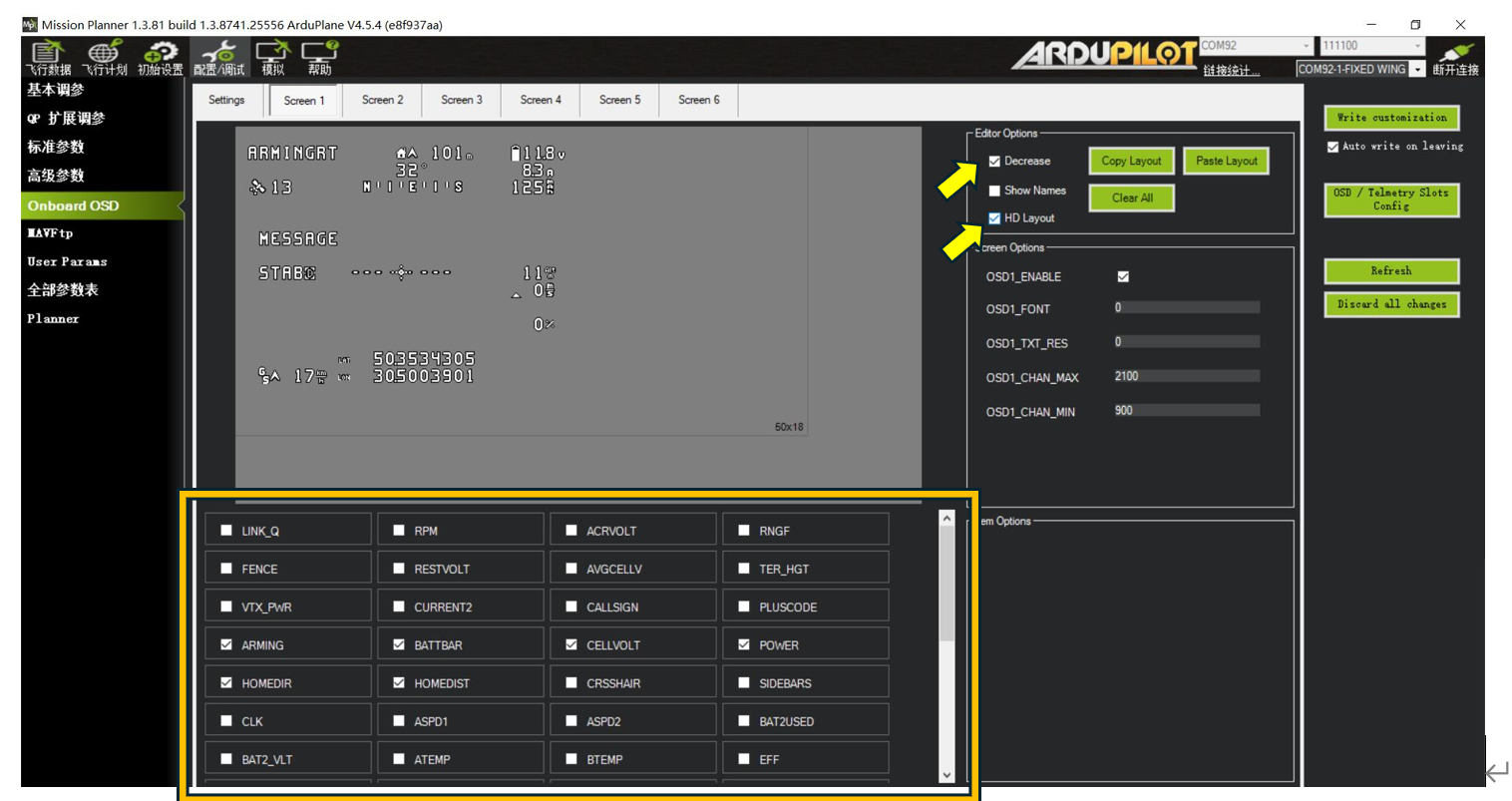
The boxed area above lists the available OSD items.
Common items are described below:
BAT_VOLT Battery voltage
CURRENT Current
POWER Current system power
BATUSED Battery capacity consumed
RSSI Radio signal strength
SATS GPS satellite count
HDOP GPS position accuracy
FLTMODE Current flight mode
MESSAGE System messages
HORIZON Artificial horizon
HOME Distance from home
DIST Total flight distance
HEADING Bearing to home
THROTTLE Current throttle value
COMPASS Compass heading
GPSLAT GPS latitude
GPSLONG GPS longitude
ROLL Current roll angle
PITCH Current pitch angle
ALTITUDE Current relative altitude
GSPEED Current GPS ground speed
VSPEED Current vertical speed m/S
For DJI G2, G3, and N3 video goggles, the following OSD layout is recommended.
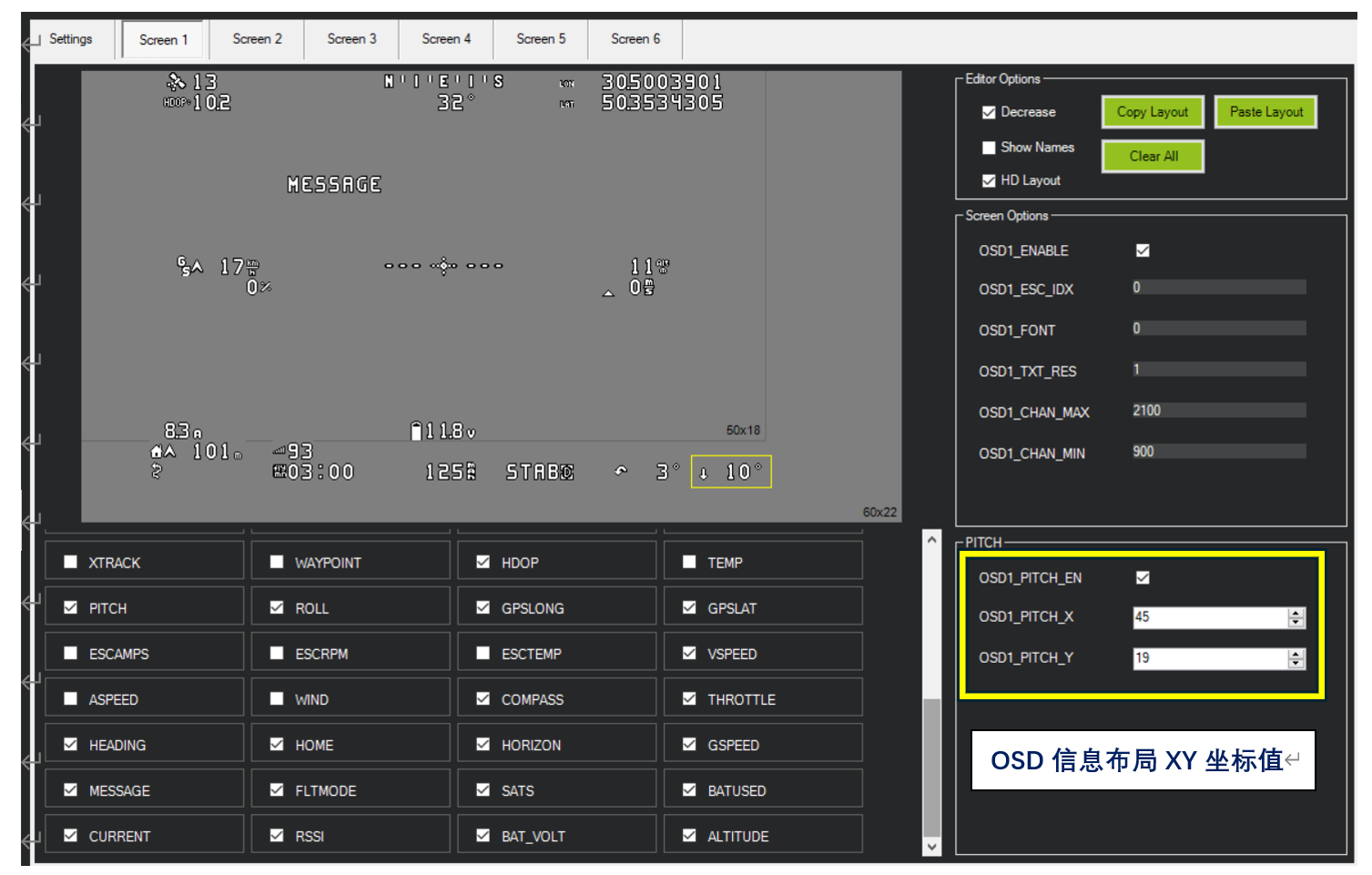
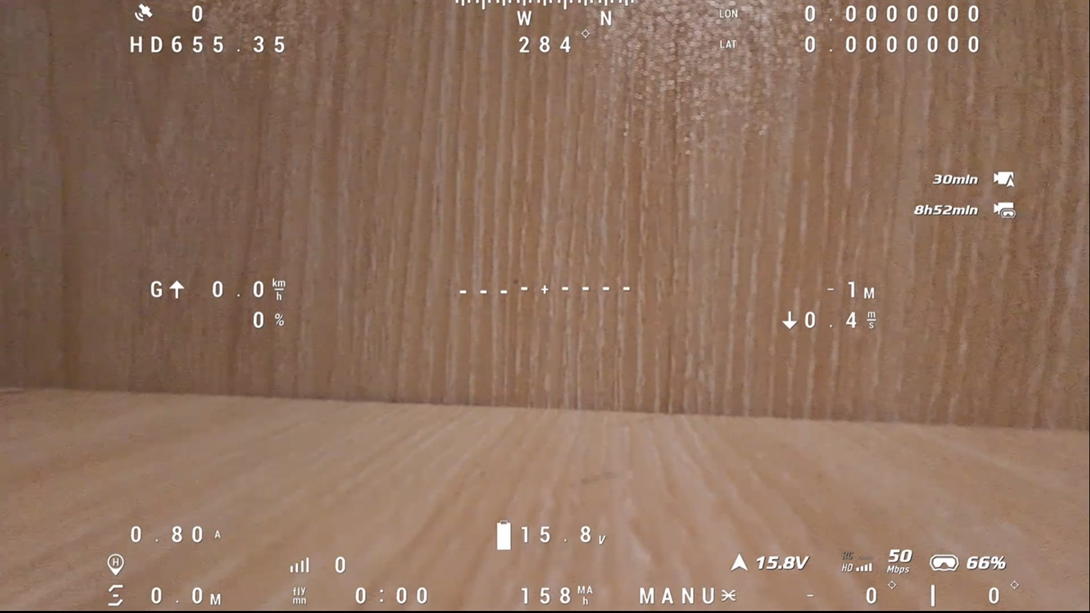
The corresponding OSD layout appears in the goggles as follows:
The OSD items and XY coordinates shown above are listed below. Select each OSD item and adjust its XY coordinates until the layout matches your preferences.
FLTIME Armed flight time 14 19
DIST Total flight distance 5 19
HDOP Position accuracy 6 1
PITCH Pitch value 45 19
ROLL Roll value 39 19
GPSLONG GPS longitude 35 0
GPSLAT GPS latitude 35 1
VSPEED Current vertical speed 38 10
COMPASS Compass heading 26 0
THROTTLE Current throttle value 10 10
HEADING Bearing to home 25 1
HOME Distance from home 5 18
HORIZON Artificial horizon 26 9
GSPEED Current ground speed 7 9
MESSAGE System messages 15 5
FLTMODE Current mode 31 19
SATS GPS satellite count 6 0
BATUSED Battery capacity consumed 24 19
CURRENT Current 6 17
RSSI Radio signal strength 14 18
BAT_VOLT Battery voltage 24 17
ALTITUDE Current altitude 38 9
DJI V1 and V2 goggles do not support some OSD items. Set the serial port protocol to DJI FPV.
Common supported items include: Battery voltage, current, battery capacity, GPS satellite count, latitude and longitude, distance from home, altitude, vertical speed, speed, RSSI, pitch angle, and roll angle.
Confirmed unsupported items include: Artificial horizon, accumulated flight distance, bearing to home, flight-mode name, and current throttle value.
When using a DJI HD air unit with V1 or V2 HD goggles, confirm that the air unit is powered correctly, the goggles are connected, and Custom OSD is enabled in the DJI goggles. Supported OSD items will then be displayed.
DJI Digital Video (V1/V2 Goggles) OSD Item Reference with XY Coordinates:
HOMEDIR Direction-to-home arrow 15 13
HOMEDIST Distance from home 2 13
CRSSHAIR Crosshair 14 8
PITCH Pitch angle 19 14
ROLL Roll angle 19 13
GPSLONG Longitude 0 0
GPSLAT Latitude 0 1
VSPEED Vertical speed 23 8
GSPEED GPS speed 4 7
MESSAGE Flight mode 1 14
SATS GPS satellite count 8 14
BATUSED Battery capacity consumed 13 14
CURRENT Current 4 8
RSSI Current radio signal strength 9 13
BAT_VOLT Battery voltage 13 13
ALTITUDE Altitude 21 7