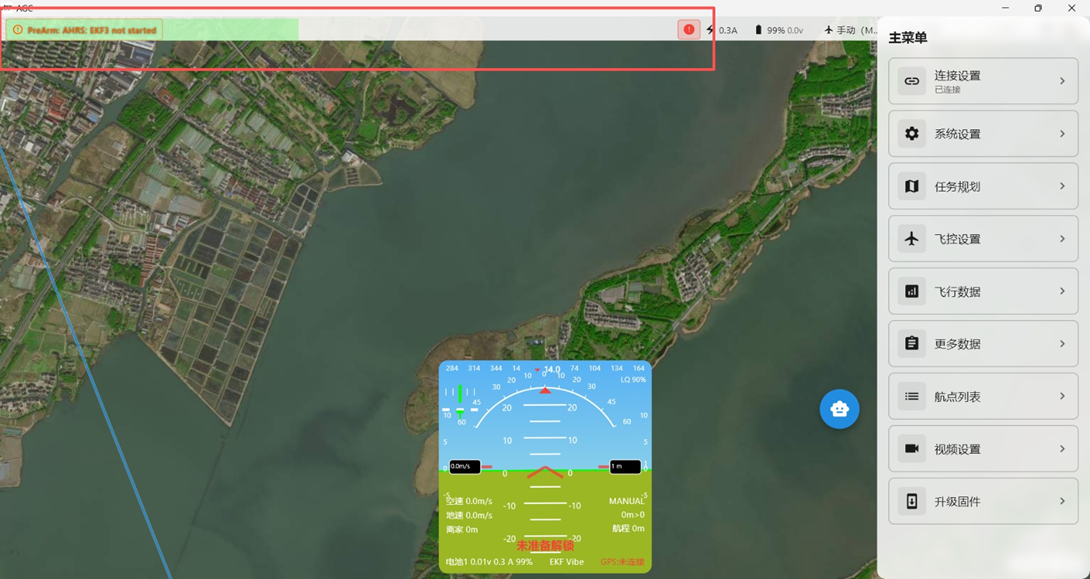
Connecting via Onboard Bluetooth Telemetry
Power the flight controller from the battery before using onboard Bluetooth.
The AeroEgg Technology AET H743 Basic flight controller includes an onboard Bluetooth telemetry module. You can pair it with a laptop Bluetooth adapter and connect the flight controller to the computer ground station over Bluetooth without a USB cable.
1> Confirm that the flight controller Bluetooth port is configured correctly. Return to the Serial Ports page and confirm that Serial7, the port assigned to the Bluetooth module, is configured correctly as shown above.
2> Disconnect the USB cable and connect the flight battery to the flight controller. 8.2.1. Connecting the Computer via Bluetooth Power on the flight controller and wait for startup and self-test to complete. On the computer Bluetooth & other devices page, select AET-H743-spp to connect.
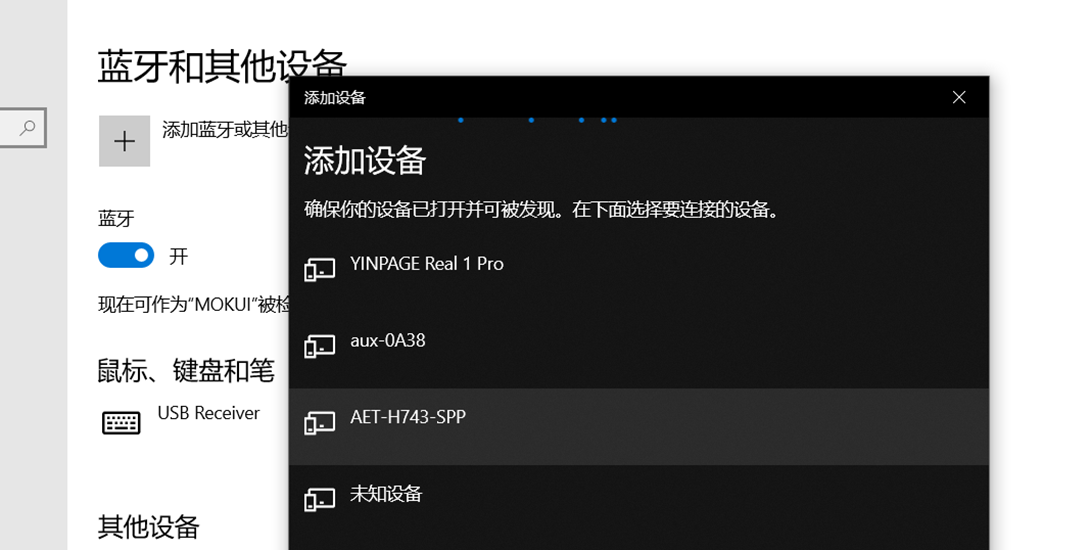 After selecting the Bluetooth connection, wait for the computer to pair with the flight controller and automatically install the Bluetooth serial-port driver.
When the device setup completion notification appears in the lower-right corner, open Device Manager and identify the port assigned to the Bluetooth device.
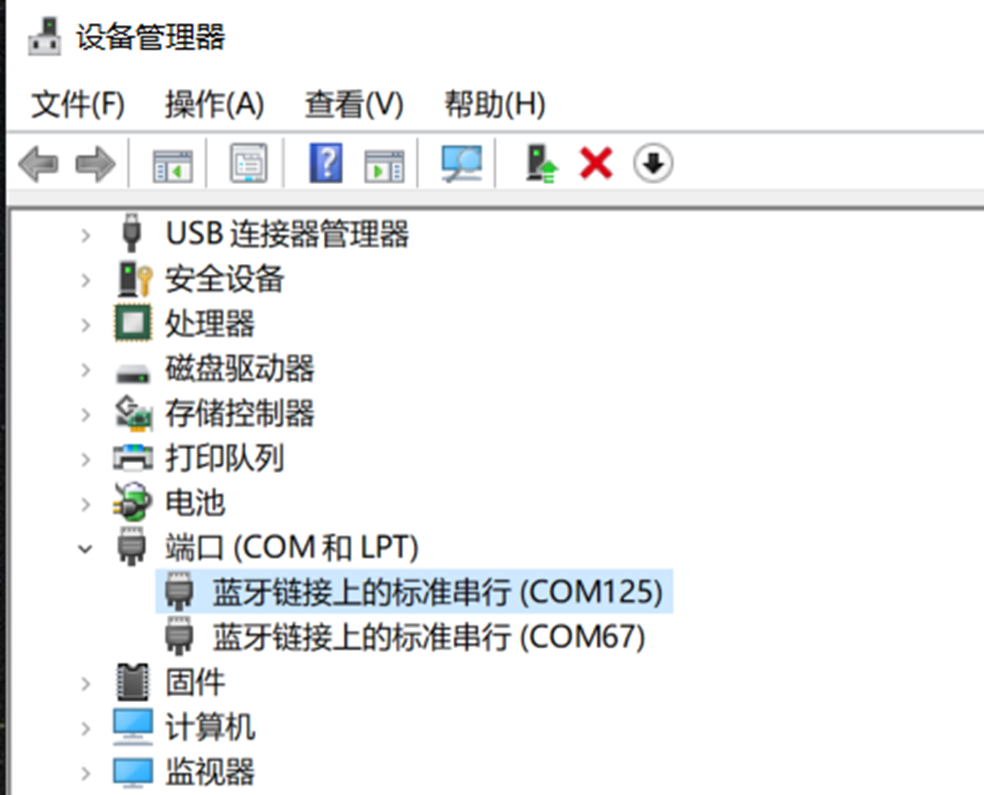
Confirm that a COM port number has been assigned to the Bluetooth connection. The assigned port varies by computer, so use the port shown on your system. Open the AGC configuration and tuning software. In the Port drop-down menu at the upper right, select the Bluetooth device port, then click Connect.
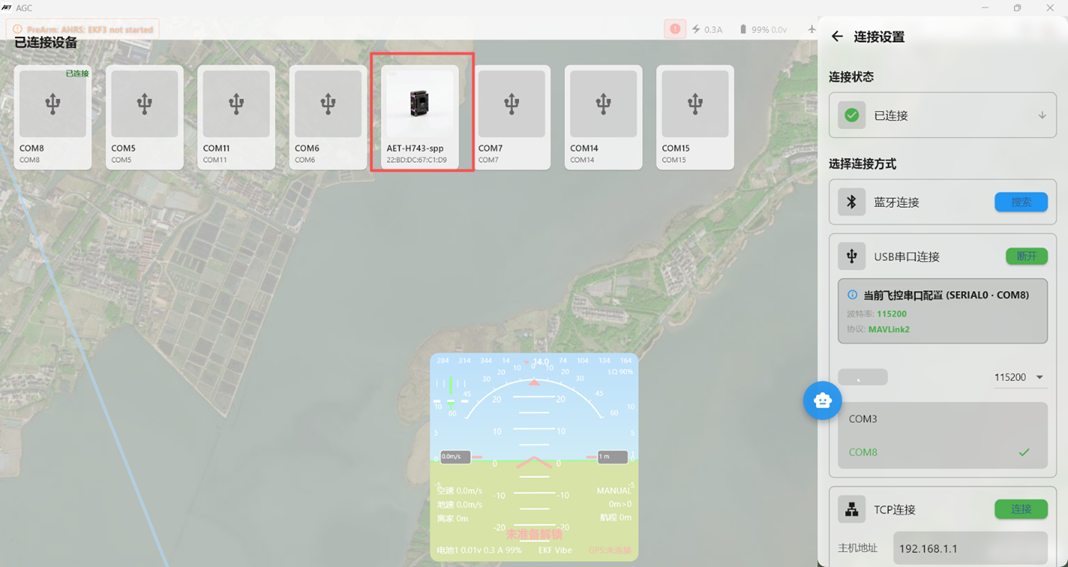
The ground station now connects to the flight controller through the Bluetooth port and reads flight-controller data normally. Operation is equivalent to a USB connection, and configuration and tuning can proceed as usual.