OSD Layout Configuration
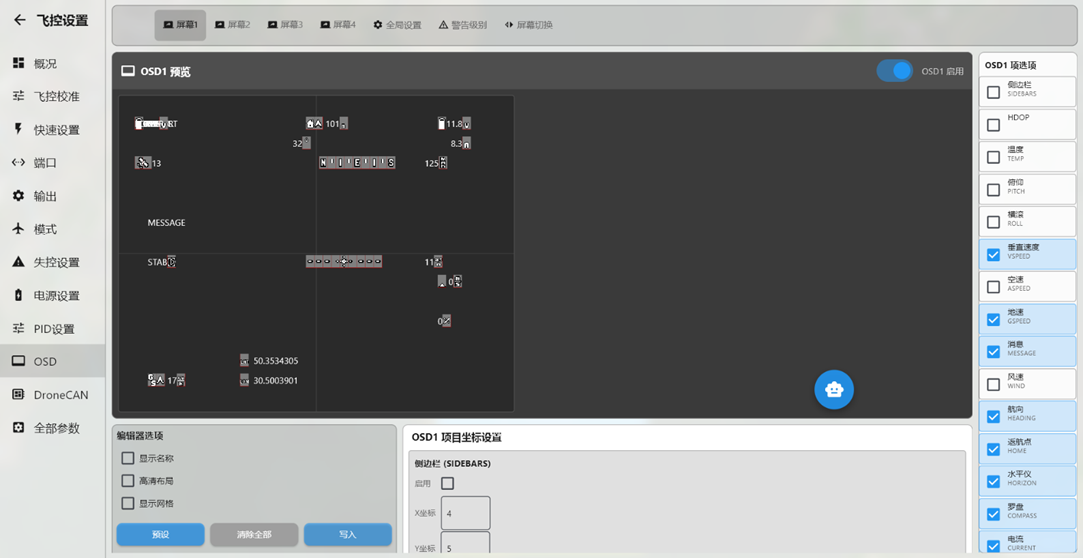
Open the OSD information settings.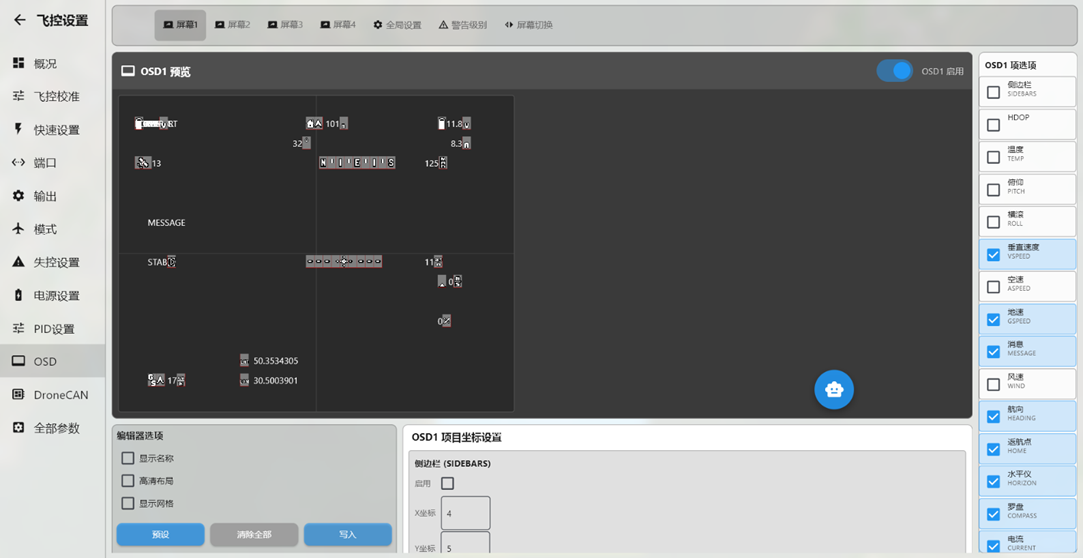
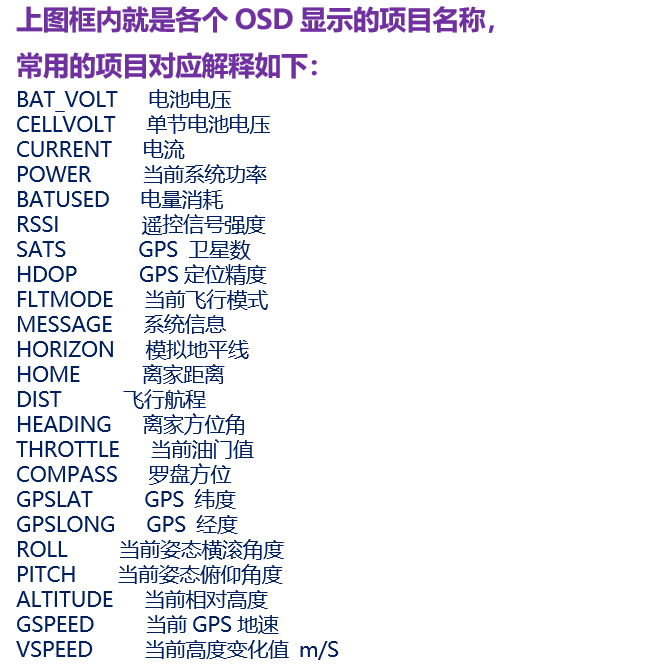
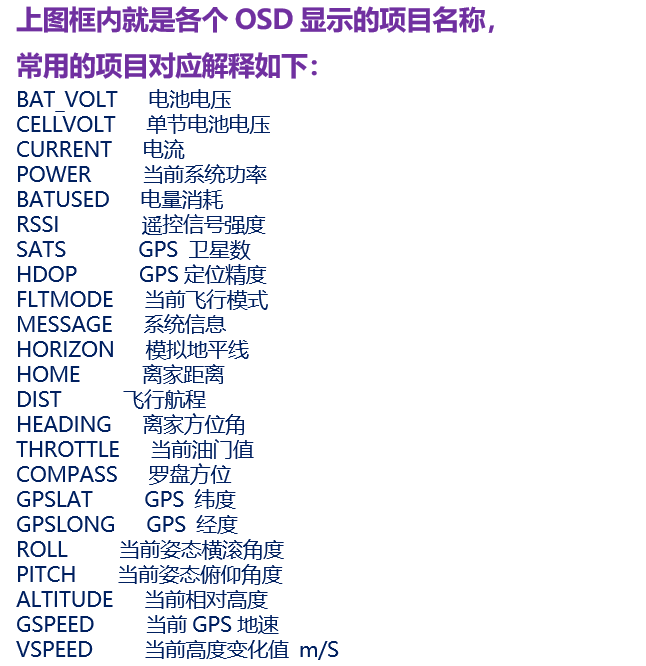
AGC OSD display configuration is similar to INAV configuration and tuning (the OSD module is integrated into the flight controller). In the OSD content section at the bottom, select the items to display and drag them to the desired positions. With the flight controller powered and connected to the video transmitter and camera, reposition the OSD items and click Write; the updated OSD positions will then appear on the receiver display.
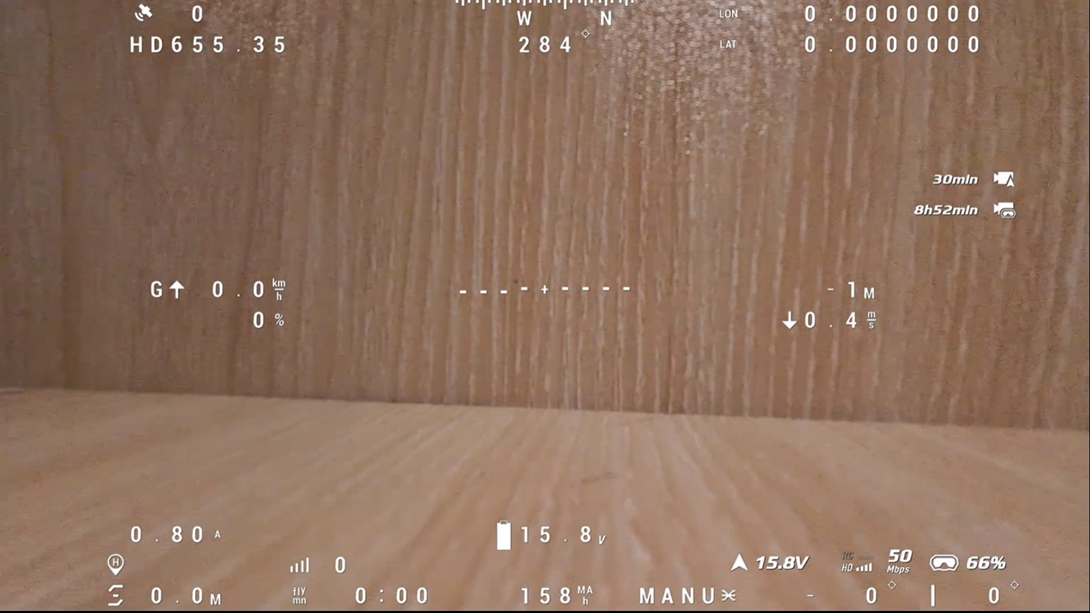
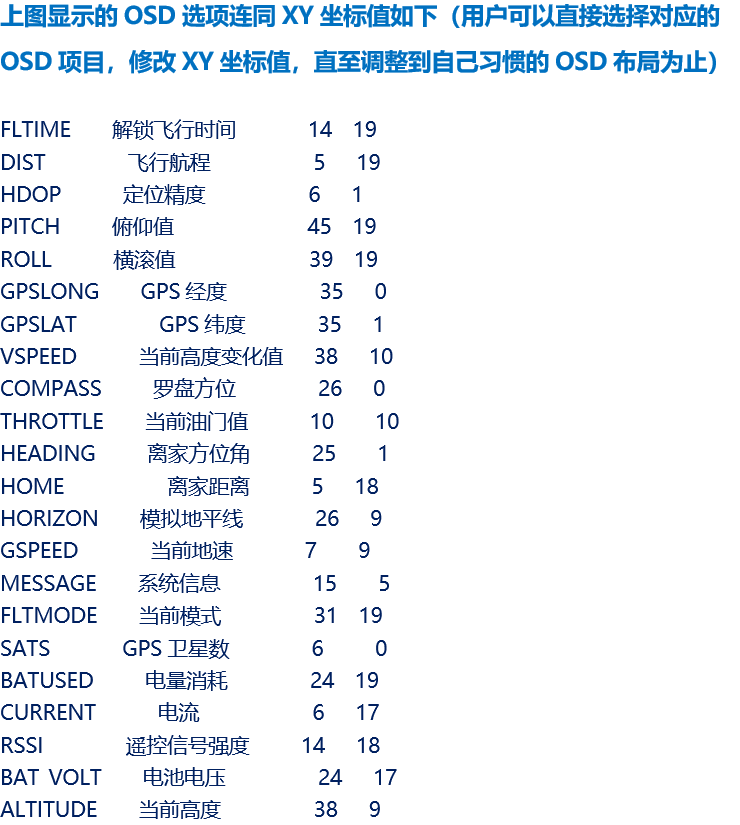
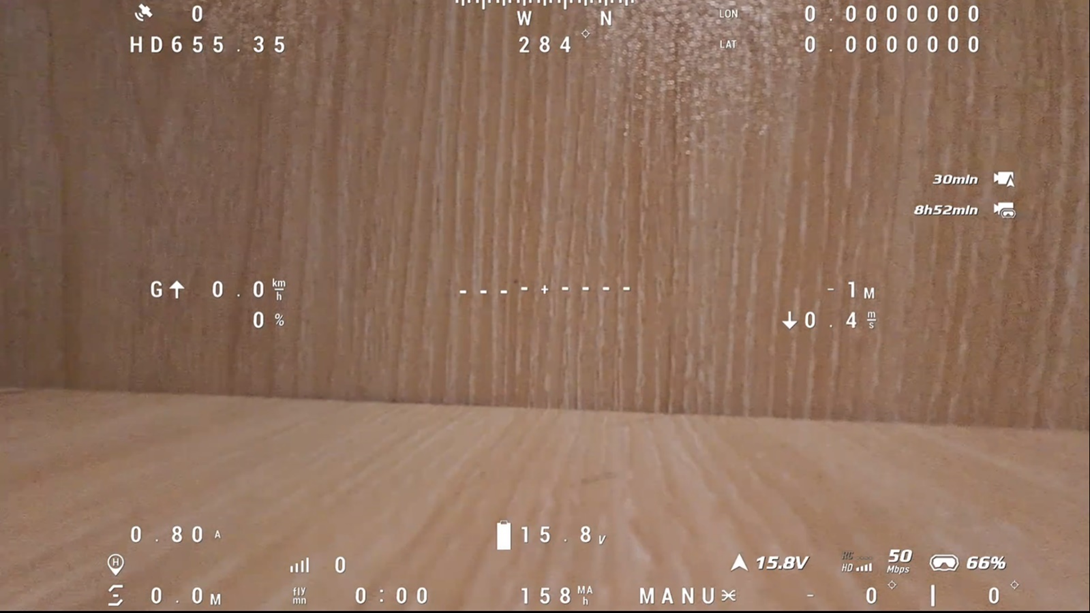
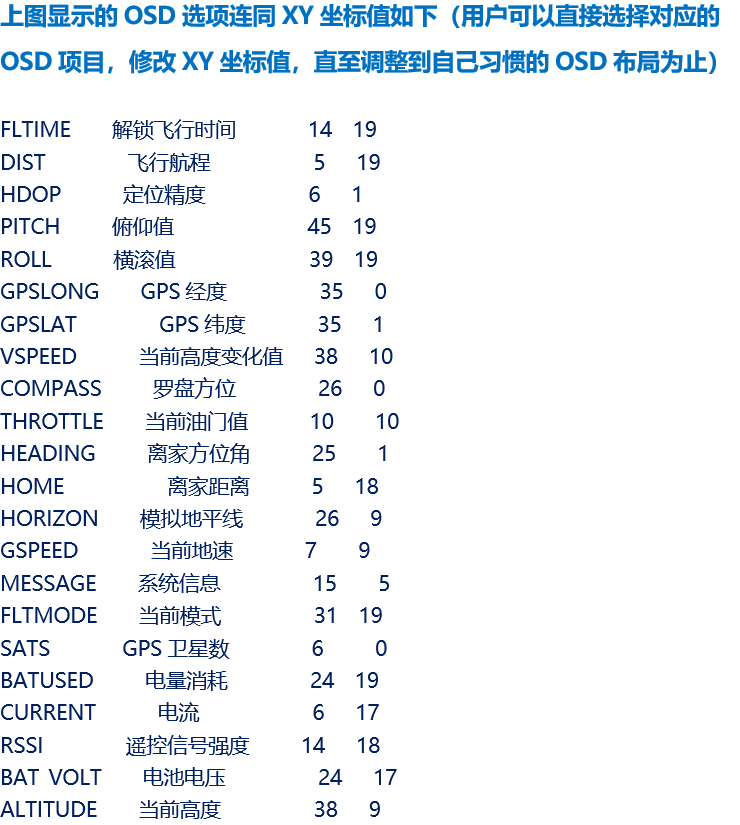
The corresponding OSD layout appears in the goggles as follows: