Airspeed Sensor Connection and Configuration
This example uses a Fapple airspeed sensor with the MS4525D protocol. Refer to the airspeed sensor installation instructions for mounting on the airframe, and minimize the effect of airframe turbulence on the sensor. Connect the airspeed sensor 5V and GND pins to flight controller 5V and GND, and verify that power is supplied correctly. Connect the sensor SDA and SCL pins to flight controller SDA and SCL respectively on the UART4/I2C 2 interface. Search for the following parameters in All Parameters and set them as specified: ARSPD_TYPE 1 Select 1 for MS4525. For MS5525, consult the supplier. ARSPD_OPTION 15 ARSPD_AUTOCAL 1 Enables in-flight automatic calibration; fly for approximately 15-20 minutes. ARSPD_SKIPCAL 1 ARSPD_PIN Default 15 for an analog airspeed sensor. Set to 65 for a digital airspeed sensor. ARSPD_RATIO Default 1. Automatic calibration updates this to the measured value. After calibration is complete, manually set ARSPD_AUTOCAL to 0.
On the OSD setup page, enable ASPD1, drag it to the desired position, and write the configuration.
Check Airspeed Sensor Operation
When the airspeed sensor is connected correctly to the flight controller, its status is visible on the ground station page as shown below.
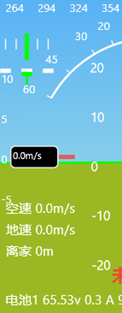
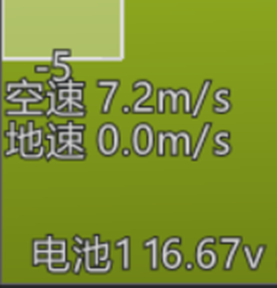
Blow gently into the airspeed sensor dynamic-pressure port, or point it into airflow from a fan. Verify that the airspeed value changes in the ground station, as shown below.
Perform an initial calibration during the first flight with the airspeed sensor. After takeoff, switch to LOITER so the aircraft circles at its current altitude. Maintain the loiter for 5-10 minutes to allow the flight controller to calibrate the airspeed sensor automatically. After a normal landing, connect the ground station and disable automatic calibration by setting: ARSPD_AUTOCAL 2
The airspeed sensor configuration is now complete.
For other settings, refer to the parameters provided with the airspeed sensor.
Adjust Cruise Throttle Some users report that after returning overhead, the aircraft may enter a high-speed loiter at 100% throttle. To prevent this, adjust the following values on the MP Basic Tuning page.
[Config/Tuning]---[Basic Tuning]---[Throttle 0-100%]
Cruise: set to 32
Minimum: set to 30
Maximum: set to 80
Turn rate: set to 70
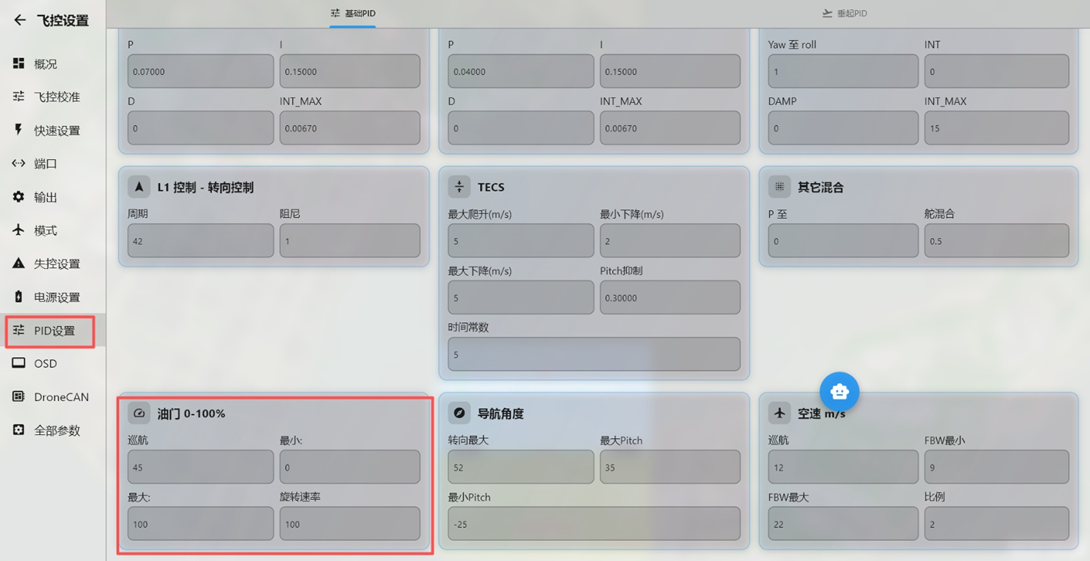
This setting also affects maximum throttle output in FBWA mode. MANUAL mode is not affected.