Special Instructions for Using an SBUS Receiver with the AET-405A Flight Controller
F405 Flight Controller SBUS Wiring Instructions
Interface Description
SBUS uses the UART2 interface.
Wiring Definitions
Pin Function Description
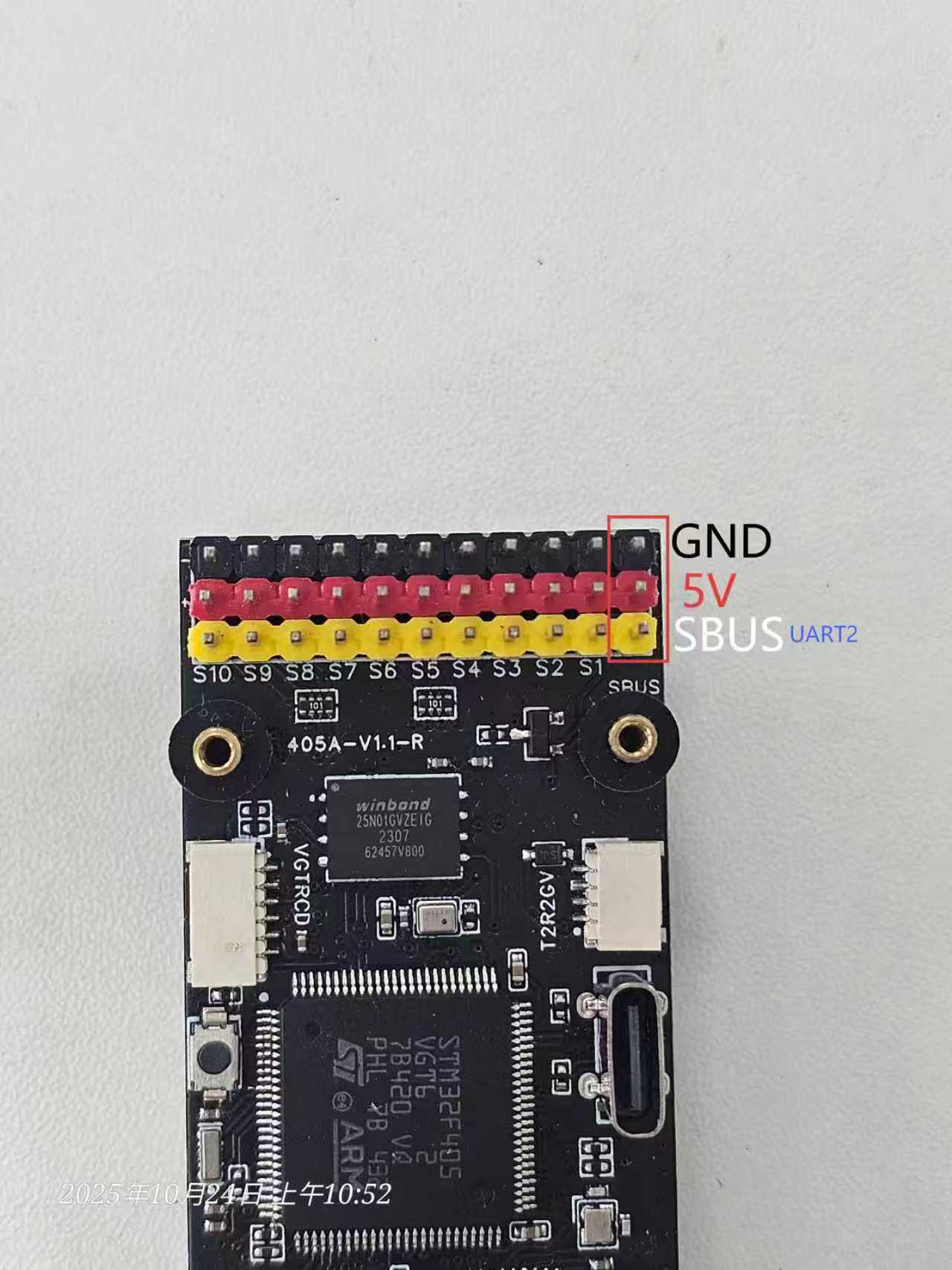 GND (Black) Receiver ground
5V (Red) Receiver power supply
SBUS (White) Receiver signal output (UART2 RX)
GND (Black) Receiver ground
5V (Red) Receiver power supply
SBUS (White) Receiver signal output (UART2 RX)
1️⃣ Ports Settings
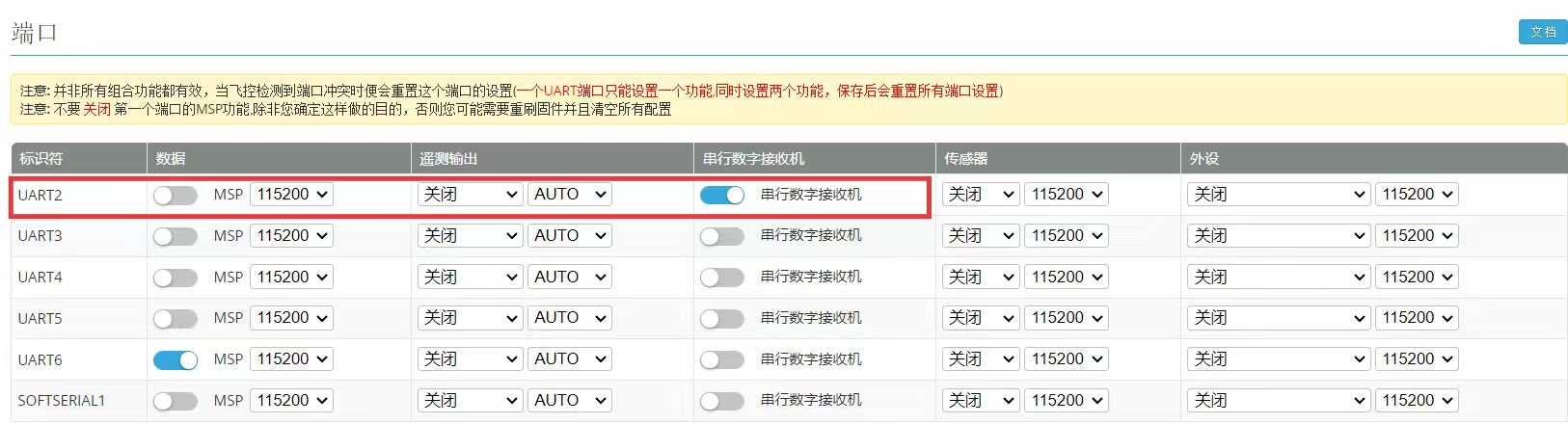
On the Ports tab in INAV Configurator:
Locate the UART2 row;
Enable Serial RX;
Disable MSP, sensors, and all other functions on this port.
📸 As shown in the screenshot, Serial RX for UART2 is enabled and highlighted in blue.
 2️⃣ Receiver Settings
On the Receiver tab:
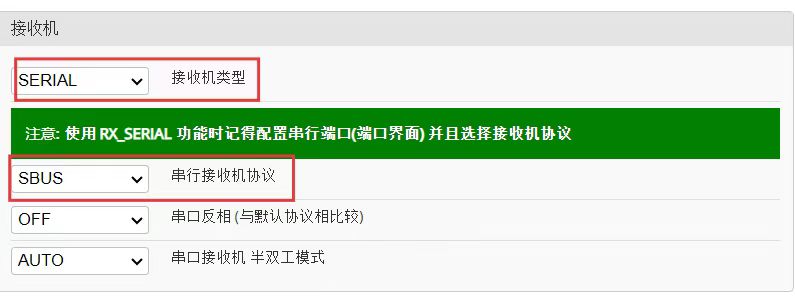
Receiver Mode → Select Serial
Serial Receiver Provider → Select SBUS
Inversion → Keep OFF
Do not connect an external 5V power supply to the receiver!
2️⃣ Receiver Settings
On the Receiver tab:
Receiver Mode → Select Serial
Serial Receiver Provider → Select SBUS
Inversion → Keep OFF
Do not connect an external 5V power supply to the receiver!